
ALTSON 60 LED Portable Selfie Light
4.5Editor score
Rechargeable battery included
Compact and pocket-sized design
High CRI color accuracy
Finding the right lighting can transform your video calls and content creation. A clip on ring light for laptop provides even illumination without taking up desk space. It ensures you look professional during meetings and streaming sessions.
We compared ten highly rated models based on brightness, color accuracy, and ease of use. Each product was evaluated for its clip stability, portability, and compatibility with various screen thicknesses to ensure a reliable selection.
Each pick highlights unique strengths and ideal use cases for different users. Please note that prices and availability can change frequently so check the links for the most current information before making your final purchase decision.
4.5Editor score

4.4Editor score

4.3Editor score
As an Amazon Associate we earn from qualifying purchases.
This side-by-side comparison helps you quickly identify which model fits your specific needs and budget constraints for optimal video quality.

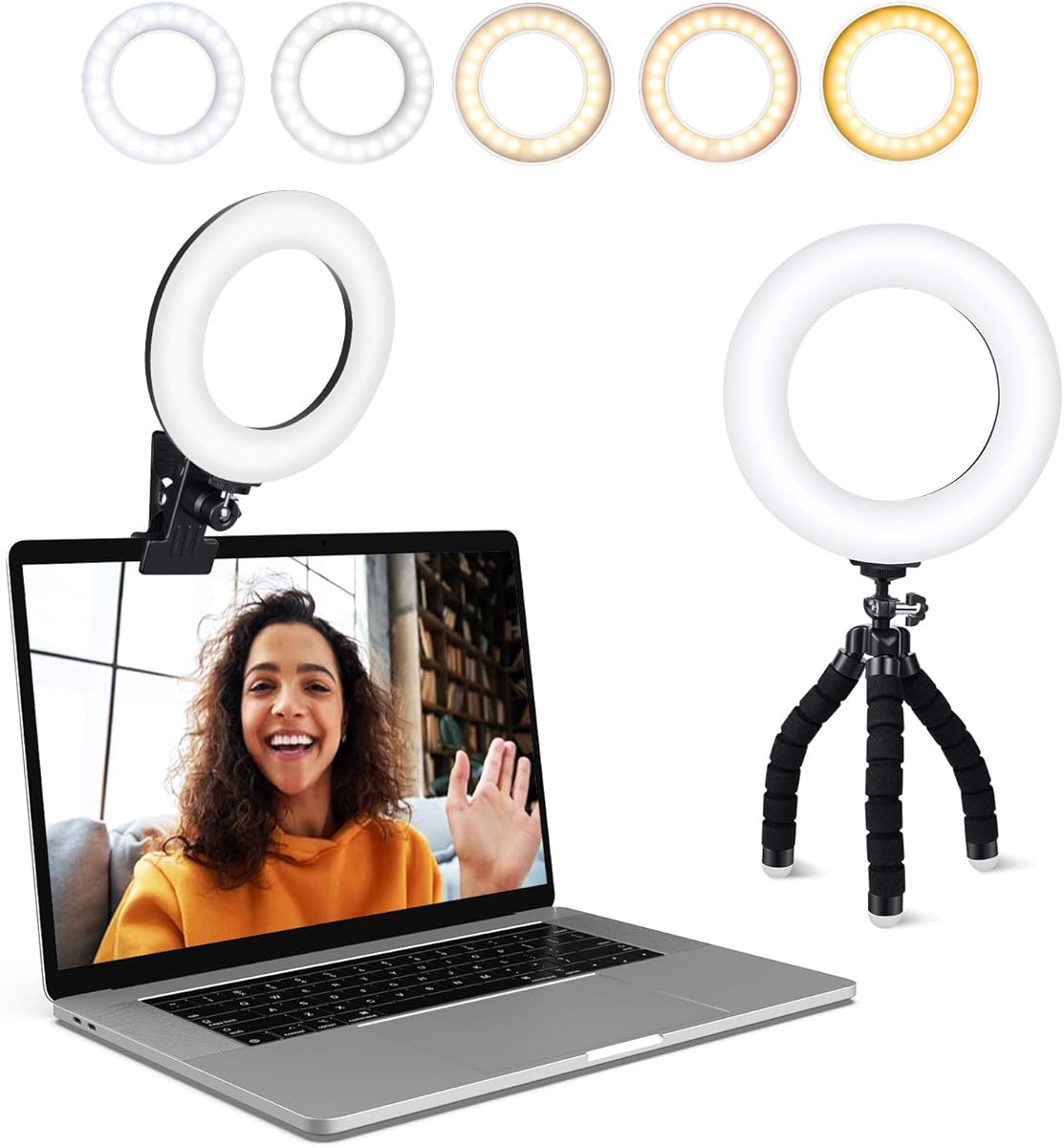


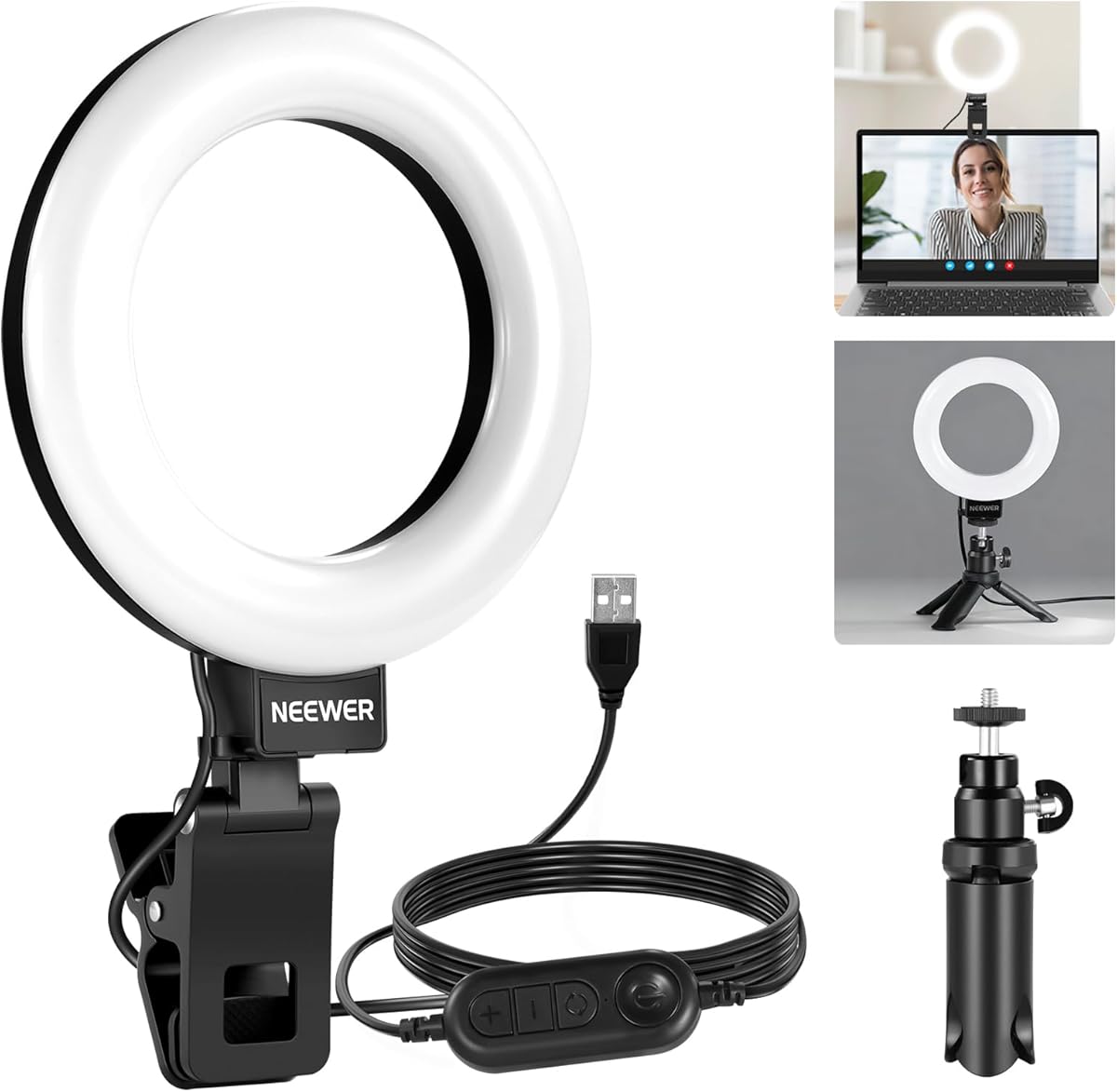
The Evershop ring light stands out as a top contender for laptop users seeking reliable illumination. With a 4.4 rating it offers a robust solution for video conferencing and content creation needs. Its adjustable multifunctional stand sets it apart from standard clip-on models.
We may earn a commission when you buy through this link, at no additional cost to you.
This model features 64 high-efficiency LEDs that deliver bright and consistent illumination across white natural and warm modes. The CRI above 98 ensures skin tones appear natural and polished on camera. You get 30 adjustable brightness levels to fine-tune lighting for any environment.
While it lacks a built-in battery it includes a versatile stand for phone placement. The foldable design saves space and makes transport easy. The USB power means you rely on a nearby outlet but the plug-and-play setup is incredibly simple for daily use.
This light is ideal for professionals who need high-quality video calls without cluttering their desk. It balances performance and portability well. We recommend it for anyone wanting a polished look during Zoom meetings or recording sessions.
The high CRI rating ensures colors look true to life which is crucial for makeup or product demonstrations.
The all-in-one design allows you to place your phone on the stand freeing up hands for better interaction.
We may earn a commission when you buy through this link, at no additional cost to you.
The Cyezcor kit is designed for those who want essential lighting features without complexity. It uses a ring design to provide even illumination that avoids glare and shadows. The 48 LEDs are sufficient for most home office environments.
We may earn a commission when you buy through this link, at no additional cost to you.
It offers three color temperatures and five brightness levels controlled by a simple switch. This makes it easy to adapt to different times of day or room conditions. The clip design is sturdy enough to stay in place during calls.
The main trade-off is the limited number of brightness adjustments which might restrict fine-tuning in very bright or dark rooms. However for general video calls it provides reliable performance. The USB power ensures you can use it with any laptop.
We suggest this model for students or remote workers needing a straightforward upgrade to their webcam setup. It delivers consistent results for the price. It is a solid choice for entry-level video lighting.
The ring shape ensures light hits your face evenly preventing harsh shadows under your eyes.
Simple switches mean you do not need to fiddle with apps to change your lighting settings.
We may earn a commission when you buy through this link, at no additional cost to you.
The ALTSON light is perfect for users who need lighting on the go. Its rechargeable battery means you are not tethered to a power source. This flexibility makes it ideal for travel or outdoor content creation.
We may earn a commission when you buy through this link, at no additional cost to you.
With a CRI of 97 plus this light captures accurate skin tones. The three modes and ten brightness levels give you precise control. The 160-degree rotation helps you position light exactly where you need it for better shots.
The battery lasts about 15 hours at low brightness but less at higher levels. While the light is small it packs enough punch for close-up work. The included adapter allows tripod use for stable shots.
We recommend this for influencers or vloggers who move around frequently. It is a reliable companion for spontaneous video needs. The price point makes it an excellent value for the features provided.
The high CRI ensures that what you see on camera matches your actual appearance.
Fits in a pocket and weighs only 95 grams making it easy to carry anywhere.
We may earn a commission when you buy through this link, at no additional cost to you.
This kit offers versatility with two mounting options including a mini octopus tripod. The five color temperatures and brightness levels cover a wide range of needs. The ring design produces soft light that smooths skin imperfections.
We may earn a commission when you buy through this link, at no additional cost to you.
The metal clip is firm and stable with foam cushion to protect screens. The included tripod allows you to place the light on a desk or wrap it around objects. This adaptability is useful for varied setups.
While the tripod is functional it may need care to stay steady on slick surfaces. The power cord is long enough for most needs but requires management. Overall the lighting quality is bright and consistent.
We suggest this for streamers who need multiple positioning options. It provides a complete lighting solution out of the box. It is a practical choice for those wanting flexibility in their setup.
Get a clip for your monitor and a tripod for your desk to handle any scenario.
Adjust from warm to cold white to match your room lighting perfectly.
We may earn a commission when you buy through this link, at no additional cost to you.
The LitONES light uses unique technology to eliminate the ring reflection on screens. This makes it ideal for professionals who want a clean look. The 4-layer optical soft panel blends light for a natural appearance.
We may earn a commission when you buy through this link, at no additional cost to you.
It offers fifty easy combinations of color and brightness to suit any time of day. The screen-safe hanging clip protects your device from scratches. The design is robust and portable enough for travel.
While it costs more the premium features justify the investment for frequent users. The 24-month warranty adds peace of mind. The USB power ensures reliability and efficiency during long work sessions.
We recommend this for executives or creators who prioritize image quality. The glare free design is a game changer for on-camera presence. It is the best choice for high-end video conferencing.
Avoid the distraction of seeing the ring on your screen during important meetings.
Look confident and well-rested with soft lighting that flatters your facial features.
We may earn a commission when you buy through this link, at no additional cost to you.
Anautin offers extensive flexibility with 360-degree rotation and 170-degree tilt. This allows you to direct light precisely for vertical videos or makeup. The universal clip fits screens up to 0.98 inches thick.
We may earn a commission when you buy through this link, at no additional cost to you.
The high CRI LEDs ensure accurate colors for professional use. Brightness and color temperature are adjustable via simple controls. The USB cable with magic tape helps keep your workspace tidy.
The clip is sturdy but may need occasional tightening with frequent moves. Brightness is sufficient for standard calls but not for large studio setups. It remains a reliable option for daily use.
We suggest this for creators who film vertical content or need specific angles. The adjustability is its standout feature. It delivers good value for those needing precise light positioning.
Rotate and tilt freely to capture light from the exact angle you need.
Works with most laptops and desktop monitors thanks to the flexible clip design.
We may earn a commission when you buy through this link, at no additional cost to you.
This model focuses on eye comfort with a 6-inch design and upgraded lampshade. The thicker coating avoids glare issues making it safe for long sessions. It delivers bright illumination while protecting your eyes.
We may earn a commission when you buy through this link, at no additional cost to you.
The CRI over 95 ensures your photos and videos look vivid. Ten levels of dimming allow smooth brightness adjustments. The three color modes cover warm natural and cool needs effectively.
While the controls are basic they are easy to use. The light does not flicker and provides stable output. It is a straightforward tool for improving your video quality without fuss.
We recommend this for distance learners or workers with long hours. The eye care features are a significant plus for comfort. It is a reliable choice for daily video meetings.
Reduce eye strain with light that is designed to be gentle on your eyes.
The high CRI brings out the true colors in your video and photos.
We may earn a commission when you buy through this link, at no additional cost to you.
The LitONES Computer light uses a 4-layer soft panel to eliminate hotspots. This makes it suitable for long streaming sessions without eye fatigue. The CRI of 97.8 ensures true-to-life color reproduction.
We may earn a commission when you buy through this link, at no additional cost to you.
You get fifty dimmable modes to find your perfect look. The angle adjustments let you position the light as a key or fill source. The hanging mount is screen-safe and stable for most monitors.
The USB power should use a 5V 2A adapter to avoid flickering. The price reflects the premium build and warranty support. Overall it offers a reliable and comfortable lighting experience.
We suggest this for professional streamers or podcasters. The combination of soft light and high accuracy is rare in clip-on models. It is a top pick for content creators.
Soft diffused light unifies complexion and enhances your best features naturally.
Tilt and rotate to balance shadows and light exactly where you need it.
We may earn a commission when you buy through this link, at no additional cost to you.
The Selfila light is designed for simplicity and ease of use. It weighs only 0.5 pounds making it very portable. The five color temperature settings simulate natural sunlight for various situations.
We may earn a commission when you buy through this link, at no additional cost to you.
It clips easily onto laptops and monitors without tools. The 360-degree adjustment helps you find the right angle quickly. The 48 LEDs provide enough light for basic video needs.
The price point makes it an attractive choice for beginners. However it lacks advanced features like battery backup or high CRI. It serves well for occasional use or budget setups.
We recommend this for students or casual users. It is an easy way to upgrade your lighting without a big investment. It is a solid starting point for new creators.
Clip and plug in to start using this light right away.
Lightweight design means you can move it between rooms effortlessly.
We may earn a commission when you buy through this link, at no additional cost to you.
The NEEWER Basics model focuses on essential functions without overdesign. It has 60 LEDs and a CRI over 97 for accurate color. The clip fits thicknesses under 2.5cm on monitors or laptops.
We may earn a commission when you buy through this link, at no additional cost to you.
It includes a mini desk tripod for flexible desktop use. The dimming function offers ten levels from 10% to 100% to match your environment. The 170-degree tilt helps adjust the angle effectively.
The clip is not recommended for smartphones due to size constraints. The light is efficient and works with most USB power sources. It offers good quality for a competitive price.
We suggest this for home office users wanting reliability. The included tripod adds value and versatility. It is a smart choice for those seeking balance between cost and performance.
Get core lighting functions without paying for features you will not use.
Use the mini tripod for flexible placement on any flat surface.
We may earn a commission when you buy through this link, at no additional cost to you.
Selecting the right clip on ring light requires understanding key factors that affect video quality and usability.
Brightness determines how well you are lit in various environments. Look for models with multiple brightness levels to adjust for bright rooms or dark studios. Adequate brightness ensures you are clearly visible without washing out.
Choose a light with sufficient dimming steps to find the perfect balance.
Color temperature affects the mood and clarity of your video. Adjustable options from warm to cool white help match your room lighting. Consistent color temperature prevents you from looking odd on camera.
Ensure the light offers a range that suits your typical background.
The Color Rendering Index (CRI) measures how accurately colors appear. A high CRI above 90 ensures skin tones and products look natural. This is crucial for creators or professionals wanting a polished look.
Prioritize high CRI models to avoid washed out or distorted colors.
The clip must hold securely to your laptop or monitor without slipping. Check the maximum thickness it supports to ensure it fits your device. Foam or rubber padding protects your screen from scratches.
Test the stability on your specific device to avoid falls during use.
Most clip on lights use USB power which is convenient for laptops. Some models include rechargeable batteries for use without cables. Ensure the cable length is enough to reach your power source.
Decide if you need portability or steady power for your setup.
If you travel often a lightweight and foldable design is essential. Compact models fit in bags and add minimal weight. A sturdy build ensures it survives regular transport.
Choose a design that balances durability with your mobility needs.
Controls should be intuitive so you can adjust lighting quickly. Physical buttons are often easier than app controls. Quick adjustments save time during live sessions or calls.
Opt for simple interfaces that let you focus on your content.
Look for lights built with quality materials that resist wear. A solid warranty indicates the manufacturer stands behind their product. This protects your investment over time.
Check warranty terms before purchasing to ensure long-term support.
Attach the clip to the top edge of your laptop or monitor screen. Ensure the pad grips firmly so it does not slide down. Position the light directly above the camera for even illumination.
Plug the USB cable into your computer or a power adapter. Use the controls to select the desired brightness and color temperature. Adjust the angle until your face is well lit without harsh shadows.
Clean the light with a soft dry cloth to remove dust. Do not use chemicals that might damage the LEDs or housing. Store it in a safe place when not in use to prolong its life.
Many models feature flexible clips that can accommodate curved screens. Check the thickness limit to ensure your monitor fits within the range. Most standard clips work well on slight curves but avoid overly thick or thin screens.
Good quality lights are designed to avoid flickering at common frame rates. Ensure you provide adequate power via a 5V 2A adapter to prevent issues. Cheap units may flicker if power is insufficient or settings mismatch camera.
Yes many of these lights serve well for photography and video. They provide even lighting for portraits and products. However they are optimized for close up work so adjust distance for best results.
Neutral white around 4000K to 5000K is generally best for professional meetings. It makes you look alert and clear without being too warm or cool. Adjust based on your room lighting to match the ambient tone.
Use a soft microfiber cloth to gently wipe away dust. Do not spray liquids directly on the light as moisture can damage electronics. Avoid harsh chemicals that could leave residues or scratch the surface.
Most LED lights are energy efficient and produce low heat making them safe for long sessions. They are designed to avoid eye strain when used correctly. Always ensure proper ventilation around the light.
The Evershop EversSON and LitONES models stand out for their balance of features and performance. Each offers unique strengths whether you need portability or premium diffused light. Your choice depends on specific needs like travel or professional polish.
Prioritize high CRI and stable clips for consistent video quality. A comfortable setup ensures you look confident and professional. Consider power options to match your daily workflow requirements.
Prices and availability may change so check the links for current deals. Investing in a good light improves your virtual presence significantly. Enjoy better calls and content with the right lighting.