
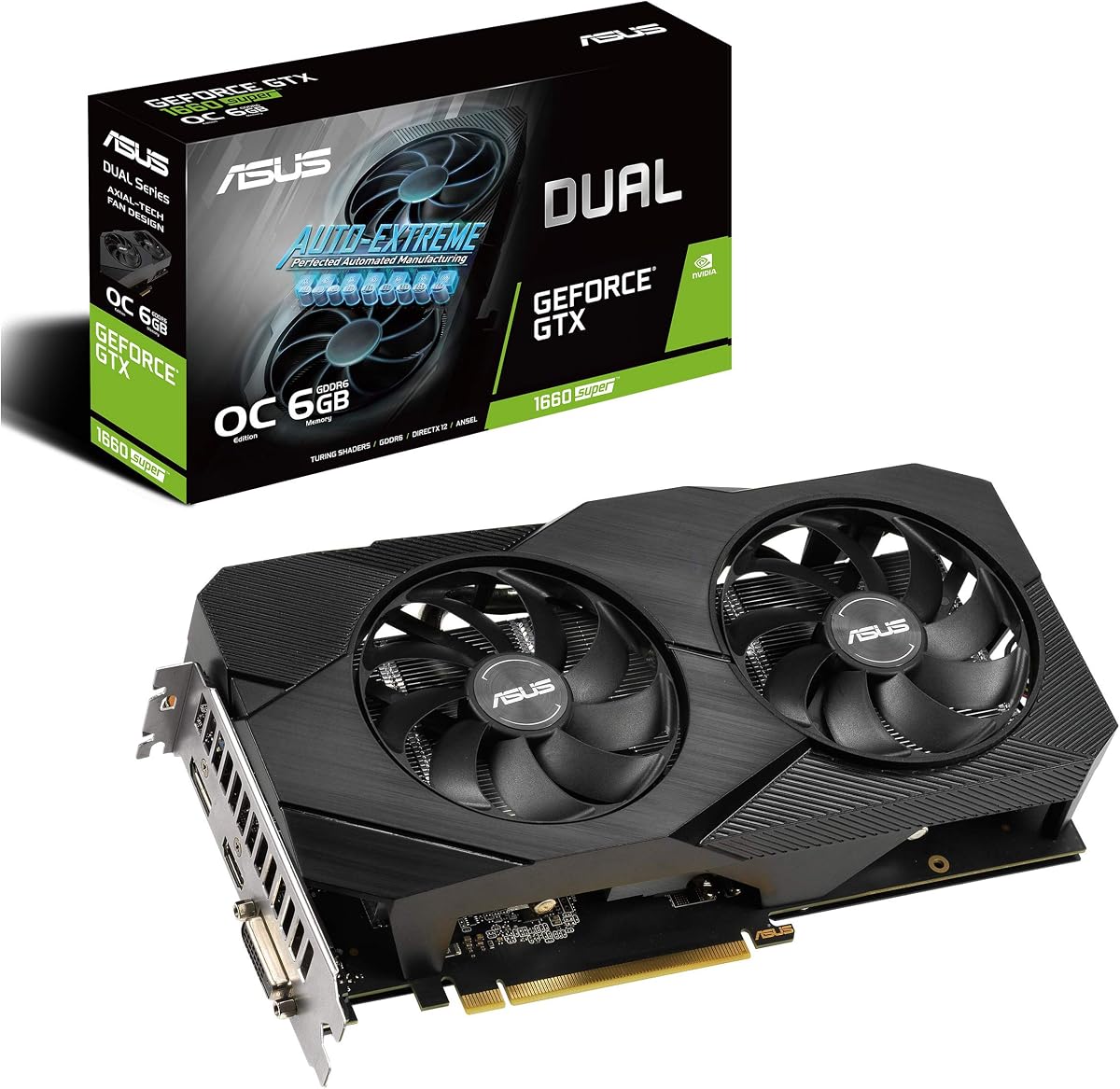
ASUS TUF Gaming GeForce GTX 1660 Super Overclocked 6GB Edition HDMI DP DVI Gaming Graphics Card, 3 Year Warranty
4.6Editor score
NVIDIA Turing architecture
6GB GDDR6 memory
TUF compatibility testing
Explore the top 10 GPU options for ASUS Prime A320M K motherboards in October 2026. This guide compares performance, compatibility, and features for every
Choosing the right GPU for ASUS Prime A320M K requires balancing power and compatibility. This guide helps you find the best graphics card that fits your needs without compromising system stability or performance efficiency.
We compared ten top-rated GPUs based on architecture, memory capacity, cooling solutions, and user ratings. Each product was evaluated for its ability to work seamlessly with the A320 chipset while delivering strong gaming and creative workflows.
Every pick highlights key specs, pros, cons, and ideal use cases for your setup. Note that availability and pricing fluctuate frequently, so always check current listings before making a final decision for your PC build.
4.6Editor score

4.7Editor score

4.6Editor score
This side-by-side comparison evaluates ten graphics cards based on their compatibility with the ASUS Prime A320M K motherboard. We analyze performance metrics, cooling efficiency, and overall value to help you make an informed purchase decision.



The ASUS Dual GeForce RTX 3050 stands out as a top choice for the Prime A320M K. Its Ampere architecture delivers modern features like ray tracing and DLSS, making it future-proof for casual and competitive gaming alike.
We may earn a commission when you buy through this link, at no additional cost to you.
With 6GB of GDDR6 memory and a dual-fan cooling system, this card handles 1080p gaming smoothly. The axial-tech fans ensure quiet operation while maintaining low temperatures during extended sessions.
While it lacks high-end VRAM for 4K gaming, its efficiency fits well with budget builds. The compact design ensures it fits even small form factor cases without blocking airflow.
Ideal for gamers seeking a balance of cost and capability, this GPU is a smart pick for A320 builds. Its durability features like dust resistance add long-term value to your system.
NVIDIA Ampere Streaming Multiprocessors improve throughput and power efficiency significantly over previous generations, enabling smoother gameplay.
Axial-tech fans with longer blades and barrier rings increase downward air pressure, enhancing cooling efficiency in tight spaces.
We may earn a commission when you buy through this link, at no additional cost to you.
The ASUS TUF Gaming GTX 1660 Super offers exceptional value for budget-conscious gamers. With a 3-year warranty and robust build, it ensures reliability for daily tasks and moderate gaming loads without overspending.
We may earn a commission when you buy through this link, at no additional cost to you.
Its NVIDIA Turing architecture provides strong 1080p performance in popular titles. The dual-ball bearing design reduces noise while extending fan life, making it a practical choice for long-term use.
Though it lacks ray tracing, its overclocked 6GB GDDR6 memory keeps frame rates steady in demanding scenarios. The GPU Tweak II software allows easy monitoring and tweaking for performance enthusiasts.
For those prioritizing cost and durability over cutting-edge features, this card fits perfectly. It balances performance and reliability, making it an ideal entry point for A320M K systems.
TUF compatibility testing ensures seamless operation with TUF motherboards and components, reducing system conflicts and maximizing stability.
GPU Tweak II provides real-time streaming and performance tracking, empowering users to optimize their setup effortlessly.
We may earn a commission when you buy through this link, at no additional cost to you.
The ASUS Phoenix RTX 3060 V2 brings premium capabilities to the A320M K platform. With 12GB of GDDR6 memory and PCIe 4.0 support, it handles modern AAA titles and creative workflows with ease.
We may earn a commission when you buy through this link, at no additional cost to you.
Its Ampere architecture enhances ray tracing and AI features, ensuring smooth visuals and intelligent upscaling. The axial-tech fan design maintains low noise while delivering superior thermal performance under load.
Though it demands a stronger PSU, its performance justifies the investment for serious users. The protective backplate adds structural integrity, reducing the risk of damage during installation or transport.
If you want top-tier performance without overspending on flagship cards, this option is ideal. It bridges the gap between budget and high-end, making it a premium pick for A320 builds.
12GB GDDR6 memory supports high-resolution textures and complex scenes, crucial for both gaming and professional applications.
HDMI 2.1 and DisplayPort 1.4a enable high refresh rates and 4K support, ensuring compatibility with modern monitors.
We may earn a commission when you buy through this link, at no additional cost to you.
The ASUS GeForce RTX 2060 6GB Phoenix Fan Edition offers a mix of performance and affordability. Its renewed status makes it an accessible option for users seeking ray tracing without premium costs.
We may earn a commission when you buy through this link, at no additional cost to you.
Powered by NVIDIA Turing, it delivers smooth 1080p gaming with VR readiness. The Phoenix fan design ensures quiet operation and longevity, while Super Alloy Power II components enhance stability.
Despite being a renewed product, Amazon's inspection process guarantees quality and functionality. However, buyers should expect minor cosmetic signs that do not affect performance.
For those prioritizing VR and ray tracing on a budget, this card fits well. Its compact design suits smaller cases, and its renewed nature adds value for cost-conscious builders.
VR Ready certification ensures compatibility with virtual reality headsets, expanding your gaming possibilities to immersive experiences.
Super Alloy Power II components provide higher efficiency and reliability, reducing power loss and heat generation.
We may earn a commission when you buy through this link, at no additional cost to you.
The Asus TUF Gaming GTX 1660 Super Renewed provides excellent value for budget builders. Its high rating reflects consistent quality and performance, making it a safe choice for 1080p gaming.
We may earn a commission when you buy through this link, at no additional cost to you.
With overclocked memory and TUF reliability, it handles modern titles efficiently. The renewed guarantee offers peace of mind, ensuring the card functions like new with minimal risk.
Though lacking ray tracing, its raw performance remains competitive for esports and casual gaming. The included software allows easy performance tuning and streaming capabilities.
If you need a reliable card without breaking the bank, this model fits well. Its combination of durability, support, and performance makes it a practical pick for A320M K systems.
Includes Game Booster, XSplit Gamecaster, and WTFast for enhanced gameplay and streaming optimization.
TUF compatibility testing ensures seamless operation with other TUF components, reducing system conflicts.
We may earn a commission when you buy through this link, at no additional cost to you.
The ASUS GeForce GTX 1660 Super Dual-Fan Evo Edition Renewed delivers solid performance for its price. Its dual-fan cooling ensures quiet operation, making it ideal for home setups.
We may earn a commission when you buy through this link, at no additional cost to you.
With VR Ready capabilities and overclocked memory, it supports immersive experiences and smooth gameplay. The renewed condition offers savings while maintaining functional quality.
While older architecture limits future-proofing, its current performance remains strong for casual and competitive gaming. The Evo edition adds reliability to its design and operation.
For budget builders needing a reliable GPU for 1080p gaming, this card fits well. Its balance of performance and affordability makes it a sensible choice for A320M K systems.
Dual-fan cooling enhances airflow, reducing noise and keeping temperatures low during extended usage.
VR Ready certification ensures compatibility with virtual reality headsets for immersive experiences.
We may earn a commission when you buy through this link, at no additional cost to you.
The ASUS GeForce GTX 1660 Super Phoenix Fan Edition excels in compact builds. Its short form factor fits smaller cases, making it perfect for home theater PCs or minimalist setups.
We may earn a commission when you buy through this link, at no additional cost to you.
With support for up to three monitors and a durable Phoenix fan, it supports productivity and entertainment seamlessly. The 3-year warranty adds significant value and peace of mind.
Though it lacks ray tracing, its performance remains strong for 1080p gaming and multitasking. The Super Alloy Power II components ensure reliability and efficiency.
If you need a compact, reliable GPU for daily use, this card is ideal. Its balance of performance and durability makes it a strong pick for A320M K systems.
Short form factor maximizes compatibility, fitting into smaller cases without compromising performance.
Supports up to three monitors for enhanced productivity and immersive multitasking.
We may earn a commission when you buy through this link, at no additional cost to you.
The ASUS GeForce GTX 1660 Super Dual-Fan Evo Edition is designed for quiet operation. Its dual-fan cooling reduces noise, making it suitable for home or office environments.
We may earn a commission when you buy through this link, at no additional cost to you.
With a 3-year warranty and VR readiness, it supports gaming and productivity without interruptions. The Auto-extreme technology ensures premium quality and reliability.
Though older than newer models, its performance remains consistent for 1080p gaming. The quiet operation adds comfort during extended gaming or work sessions.
For those prioritizing noise reduction and reliability, this card fits well. Its balance of performance and quiet operation makes it a smart pick for A320M K systems.
Dual-fan cooling reduces noise levels, enabling quieter gameplay and work environments.
Auto-extreme technology ensures manufacturing precision, enhancing reliability and durability.
We may earn a commission when you buy through this link, at no additional cost to you.
The ASUS GeForce GT 1030 2GB GDDR5 offers an entry-level solution for light tasks. Its passive cooling ensures silent operation, perfect for home theater PCs and multimedia setups.
We may earn a commission when you buy through this link, at no additional cost to you.
With 2GB of GDDR5 memory and Pascal architecture, it handles basic gaming and video playback efficiently. Its low power draw makes it ideal for systems without dedicated power connectors.
While not suitable for modern AAA titles, it supports casual gaming and everyday tasks. The compact design fits small cases without compromising aesthetics or airflow.
For users seeking a silent, low-power GPU, this card fits well. Its simplicity and affordability make it a practical pick for A320M K builds.
Passive cooling design eliminates fan noise, ensuring a quiet home theater or office environment.
Minimal power requirements allow operation without dedicated connectors, simplifying installation.
We may earn a commission when you buy through this link, at no additional cost to you.
The ASUS STRIX GTX 970 Renewed delivers classic performance with modern warranty. Its 0dB fan technology ensures silence during light loads, while DirectCU II enhances cooling efficiency.
We may earn a commission when you buy through this link, at no additional cost to you.
With 4GB GDDR5 and a 256-bit interface, it handles older titles and casual gaming smoothly. The renewed condition offers savings without sacrificing functionality.
Though lacking modern features like DLSS, its raw performance remains competitive for 1080p gaming. The 6-phase Super Alloy Power ensures stability and reliability.
For users seeking a budget-friendly option with proven reliability, this card fits well. Its combination of performance, warranty, and cost makes it a solid pick for A320M K systems.
0dB fan technology ensures silent operation during light loads, reducing noise in quiet environments.
256-bit interface provides high bandwidth for smooth textures and stable performance.
We may earn a commission when you buy through this link, at no additional cost to you.
Selecting the right GPU requires considering performance, compatibility, and power needs. This guide outlines key factors to ensure your chosen card works seamlessly with the A320 chipset.
Modern architectures like Ampere and Turing provide better efficiency and features. Choose newer generations for improved ray tracing and AI capabilities.
Prioritize architecture that matches your gaming and creative needs while fitting your budget.
VRAM determines texture quality and multitasking ability. Aim for at least 6GB for modern games and 12GB for future-proofing.
Higher VRAM ensures smoother performance in demanding applications and high-resolution gaming.
Check your PSU wattage before selecting a GPU. Higher-end cards require more power and may need additional connectors.
Ensure your system has sufficient power to avoid instability or hardware damage.
Effective cooling keeps performance stable during extended use. Axial-tech fans or dual-fan designs offer better thermal management.
Choose cooling that matches your case size and noise tolerance for optimal comfort.
Verify physical fit and PCIe slot compatibility with the A320M K motherboard. Some cards may require BIOS updates.
Confirm dimensions and power connectors to prevent installation issues.
Balance performance with cost to meet your needs. Renewed options offer savings without compromising functionality.
Prioritize long-term value over initial cost to maximize your investment.
Consider features like ray tracing, DLSS, and multi-monitor support. These enhance gaming and productivity experiences.
Select features that align with your typical use cases and software.
A solid warranty protects your investment against defects. Look for cards with reputable support channels.
Check terms and conditions to ensure coverage for your specific needs.
Install the GPU securely in the PCIe slot and connect all power cables. Ensure the motherboard BIOS is updated for optimal compatibility.
Use official drivers from NVIDIA or ASUS to maximize performance. Monitor temperatures regularly using software like GPU Tweak II to prevent overheating.
Keep your system clean by dusting fans and heatsinks periodically. Proper maintenance extends hardware life and ensures consistent performance over time.
Yes, most GPUs are compatible with the ASUS Prime A320M K motherboard. Ensure the card fits physically and your PSU provides enough power for the GPU requirements.
A 650W power supply is recommended for the RTX 3060. This ensures stable power delivery without risking system shutdowns under load.
The A320 chipset typically supports PCIe 3.0, not 4.0. However, RTX 3060 performance remains excellent without full 4.0 bandwidth.
Yes, Amazon Renewed products are inspected and tested to work like new. They offer significant savings while maintaining quality and functionality.
Sometimes, a BIOS update ensures better compatibility with newer GPUs. Check your motherboard manufacturer's website for the latest firmware.
For casual gaming, the GTX 1660 Super or RTX 3050 offer excellent performance. They balance cost and capability effectively for 1080p gaming.
Yes, many of these GPUs support multi-monitor setups via HDMI and DisplayPort. Check specific models for the number of available output ports.
Ray tracing is available on RTX cards but can impact performance. For budget builds, prioritize frame rate and resolution over ray tracing features.
The ASUS Dual RTX 3050, GTX 1660 Super, and RTX 3060 V2 stand out as top choices for the Prime A320M K. Each offers distinct advantages depending on your budget and performance goals.
Prioritize features that match your needs, such as VRAM, cooling, and connectivity. Balancing these factors ensures your system delivers consistent performance for gaming and work.
Always check current availability and specifications before purchasing. Compatibility and pricing can shift, so verifying details helps secure the best option for your setup.