This guide compares the top keyboard cases for Fire Max 11 to help you find the perfect accessory for typing, protection, and productivity on your tablet.
As an Amazon Associate we earn from qualifying purchases. We may earn a commission when you buy through links on this page, at no additional cost to you.As an Amazon Associate we earn from qualifying purchases.Purchases through our links may earn us a commission, at no extra cost to you.
Finding the right keyboard case for your Fire Max 11 transforms your tablet into a powerful productivity tool. A good case combines protection with typing comfort, ensuring your device stays safe while you work or create.
We evaluated ten highly rated options based on build quality, keyboard functionality, and overall value. Our comparison covers magnetic detachable designs, backlit features, and smart sleep wake capabilities to help you choose wisely.
Each pick below highlights specific strengths and trade-offs to guide your decision. Remember that stock availability and shipping terms can change, so always verify details on the product page before purchasing your new accessory.
Top 3 Picks for Best Keyboard Case for Fire Max 11
Best Budget
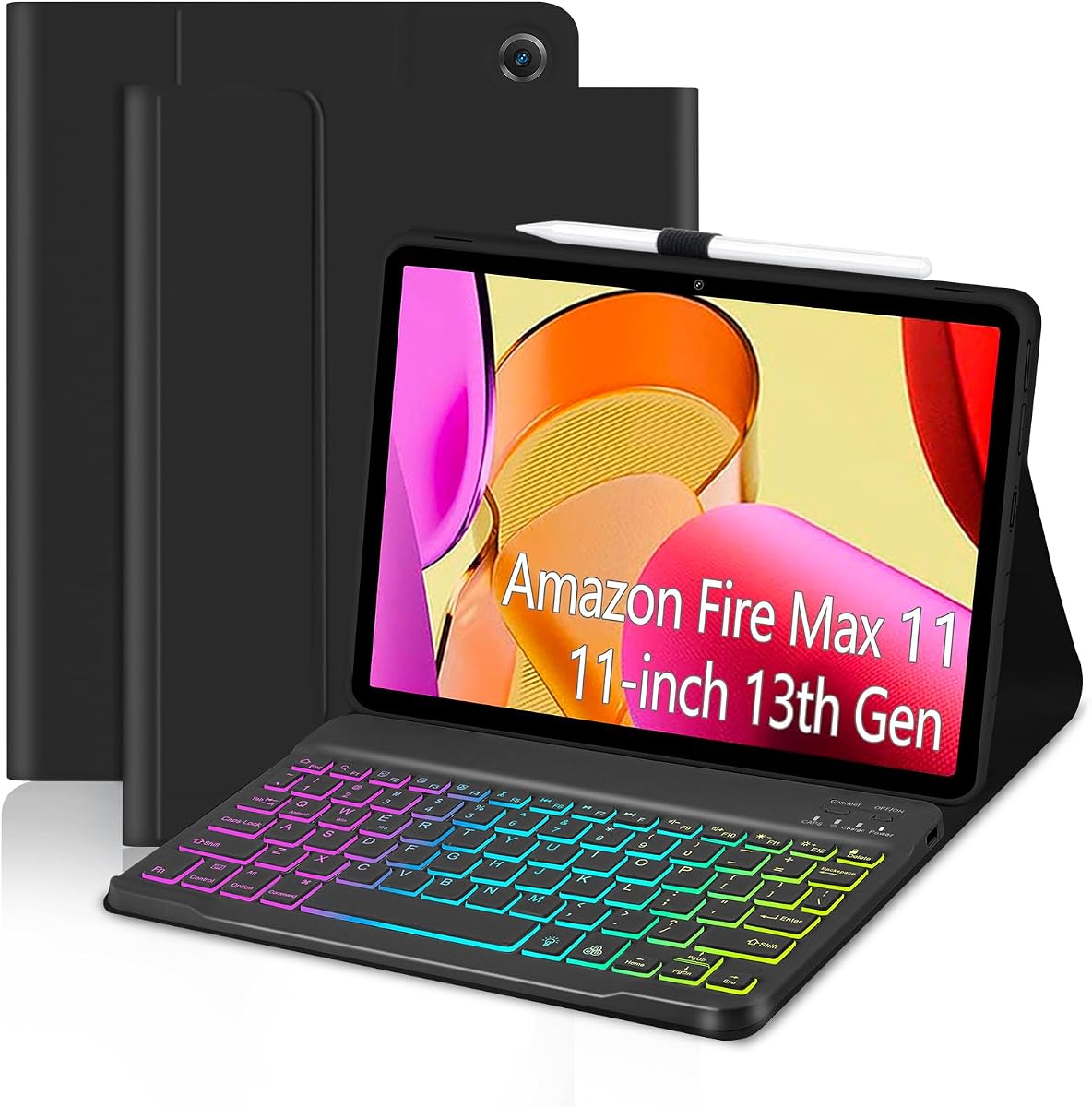
Keyboard Case for Amazon Fire Max 11 inch (13th Generation,2023 Release), 7 Color Backlight Detachable Bluetooth Keyboard Cover with Stylus Pen Holder for Kindle Fire Max 11 Tablet
Top 10 Best Keyboard Case for Fire Max 11 in 2026 Compared
The table below offers a side-by-side look at key specifications and features across all ten selected cases. This overview helps you quickly identify which model aligns best with your typing habits and protection needs.
ProductsSpecificationsEditor scorePrice
1
Editor's Choice
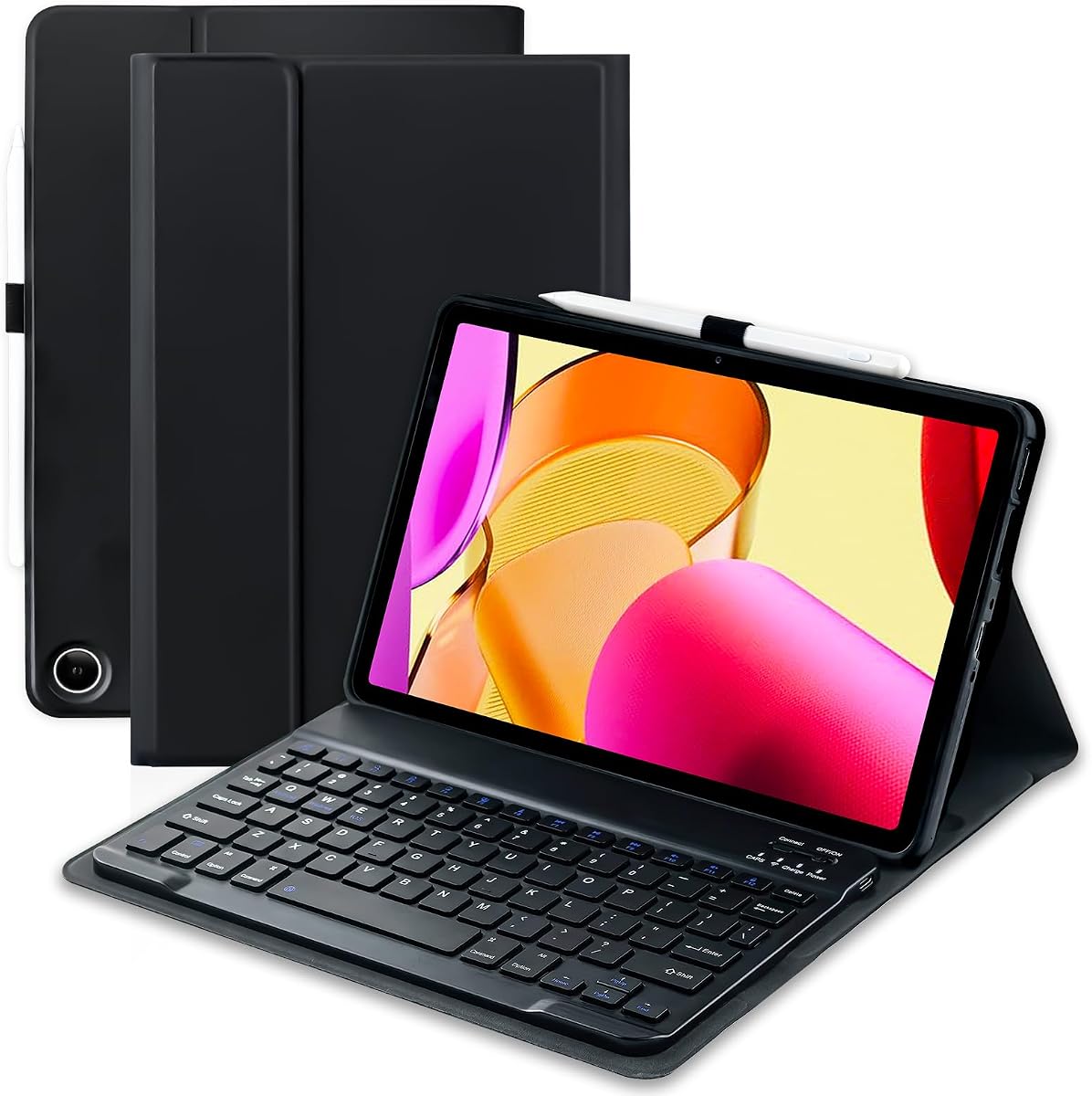
EAMPANG Case with Keyboard for Amazon Fire Max 11 inch (13th Generation, 2023 Release),7 Color Rainbow Backlit Detachable Type-C Charging Keyboard Magnetic Case Pen Holder 13th Gen-Black with Black
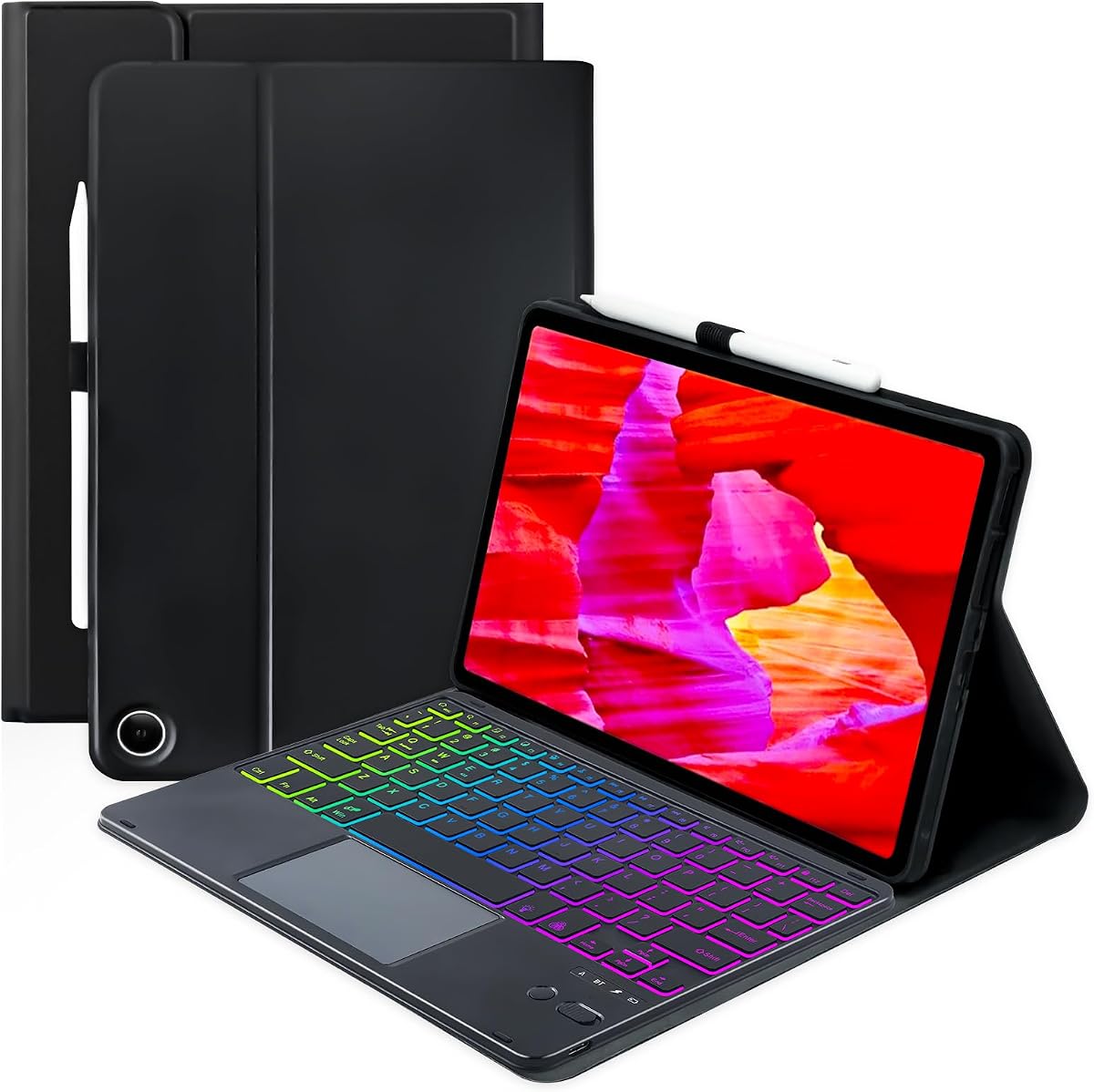
MePadKey Tablet Touchpad Keyboard Case for Amazon fire Max 11 11.0-inch 13th Generation 2023,Rainbow Backlight Rechargeable Detachable Keyboard with Pen Holder Cover (Black)
Keyboard Case for Amazon Fire Max 11 inch (13th Generation,2023 Release), 7 Color Backlight Detachable Bluetooth Keyboard Cover with Stylus Pen Holder for Kindle Fire Max 11 Tablet
Keyboard Case for Amazon Fire Max 11 11.0-inch (13th Generation,2023 Release),Detachable Type-C Charging Port Keyboard Magnetic Case with Pen Holder fit Max 11 Tablet (Black+Black)
EAMPANG Case with Keyboard for Amazon Fire Max 11 inch (13th Generation, 2023 Release),7 Color Rainbow Backlit Detachable Type-C Charging Keyboard Magnetic Case Pen Holder 13th Gen-Black with Blue
Keyboard Case for Fire Max 11 inch (13th Generation, 2023 Release), Rechargeable Detachable Bluetooth Keyboard, Smart Folio Leather Cover with Stylus Pen Holder for Kindle Fire Max 11 Tablet
EAMPANG Case with Keyboard for Amazon Fire Max 11 inch (13th Generation, 2023 Release),7 Color Rainbow Backlit Detachable Type-C Charging Keyboard Magnetic Case Pen Holder 13th Gen-Black with Black
Rainbow Backlit Keys
7 Adjustable Colors
Type-C Charging Port
Honeycomb Heat Dissipation
The EAMPANG Case stands out for its vibrant rainbow backlighting and solid magnetic attachment. It offers a comfortable typing experience with shortcut keys that boost efficiency for document editing and browsing.
Pros
Seven vibrant backlight colors
Detachable magnetic keyboard design
Includes built-in pen holder
Honeycomb design aids cooling
Cons
No trackpad included
Light mode may drain battery
We may earn a commission when you buy through this link, at no additional cost to you.
Its honeycomb inner shell helps dissipate heat effectively while the precise cutouts ensure full access to all tablet ports. The detachable keyboard allows for flexible positioning whether you need typing or viewing mode.
While it lacks a trackpad, the multi-functional keys compensate well for navigation. The pen holder adds practical value for stylus users though the stylus itself is not included in the package.
Buy this if you want a colorful and functional keyboard case at a reasonable price. It balances style and utility well for everyday use on the Fire Max 11 tablet.
Vibrant Backlighting for Night Typing
The seven-color rainbow backlight lets you switch colors or set breathing modes for low-light typing.
Smart Heat Dissipation Design
The honeycomb pattern inside the case improves airflow to keep your tablet cool during extended sessions.
MePadKey Tablet Touchpad Keyboard Case for Amazon fire Max 11 11.0-inch 13th Generation 2023,Rainbow Backlight Rechargeable Detachable Keyboard with Pen Holder Cover (Black)
Built-in Touchpad
Rainbow Backlight
Rechargeable Keyboard
Anti-slip Grooves
The MePadKey case adds a touchpad that replaces a mouse for smoother navigation through documents and web pages. Its rechargeable keyboard supports multi-finger gestures to streamline your workflow.
Pros
Integrated touchpad for navigation
Detachable rechargeable keyboard
Multi-angle adjustment support
Rainbow backlight modes available
Cons
Slightly heavier than other cases
Touchpad gestures may need learning
We may earn a commission when you buy through this link, at no additional cost to you.
Users appreciate the detachable design that lets you reposition the keyboard for comfort. The anti-slip grooves keep the tablet stable in place while the case material prevents surface scratches.
The touchpad takes some getting used to but improves efficiency for users who prefer pointing devices. Multi-angle adjustment provides flexible viewing angles suitable for reading or video calls.
Choose this model if you need a more laptop-like experience with cursor control. The touchpad feature is a rare find in this category that adds real utility.
Efficient Navigation with Touchpad
The integrated touchpad supports scrolling and cursor movement without needing external accessories.
Detachable and Rechargeable Design
The keyboard is easily removed and recharges via USB eliminating battery replacement hassles.
TUNKARMOR Case Keyboard for Amazon Fire Max 11 (13th Generation, 11 inch)
Bluetooth Mouse Included
Magnetic Keyboard
Auto Sleep Wake
Full Edge Coverage
This package delivers a magnetic keyboard plus a Bluetooth mouse to create a full laptop setup quickly. The keyboard attaches firmly to keep the tablet upright while you work.
Pros
Comes with a mouse
Ultra-thin lightweight design
Sleep wake auto function
30 percent lifespan increase
Cons
Mouse not rechargeable in case
No built-in stylus holder
We may earn a commission when you buy through this link, at no additional cost to you.
Three viewing angles and anti-slip slots ensure comfortable positioning for writing or reading. The auto sleep wake function protects battery life when opening or closing the lid.
Full edge coverage with cushioned honeycomb layers guards against drops and overheating issues. Users get solid protection and functionality even though the pen holder is missing.
Select this bundle if you prefer a mouse over a trackpad for control. It offers a complete productivity set right out of the box at a competitive value.
Complete Productivity Bundle
The included Bluetooth mouse and magnetic keyboard provide a full workstation experience.
Protective Honeycomb Construction
Inner honeycomb patterns shield the tablet from heat while preventing physical damage.
Amazon Fire Max 11 Keyboard Case (Only compatible with 13th generation tablet, 2023 release)
Integrated Trackpad
Pogo Pin Power
15 Shortcut Keys
Recycled Materials
The official Amazon Keyboard Case offers a seamless fit with pogo pin power that removes the need for charging. Its built-in trackpad supports gestures like pinch-to-zoom for intuitive navigation.
Pros
Seamless pogo pin connection
Integrated responsive trackpad
Microsoft 365 trial included
Made with recycled plastics
Cons
Higher price point
Trackpad gestures require settings
We may earn a commission when you buy through this link, at no additional cost to you.
With fifteen shortcut keys and two customizable shortcuts this case speeds up document editing and app switching. The detachable back cover allows hands-free viewing with multi-position stand options.
Recycled materials reflect a commitment to sustainability while performance remains premium. The Microsoft 365 trial adds extra value for users focused on productivity and content creation tasks.
Invest in this case if you want native support and reliable integration. It is the most polished option for those who prioritize seamless operation.
Effortless Pogo Pin Power
Connects directly to the tablet so you never need to charge the keyboard separately.
Integrated Trackpad Gestures
Built-in touchpad supports two-finger scrolling and task switching for faster navigation.
for Amazon Fire Max 11 Case with Keyboard (13th Generation, 11 inch)
3-Zone Backlight
Mouse Included
3 Viewing Angles
Auto Sleep Wake
This option provides a magnetic detachable keyboard alongside a rechargeable Bluetooth mouse for full navigation control. Three viewing angles let you customize the tilt for different tasks like drawing or watching videos.
Pros
Three-zone backlight control
Includes Bluetooth mouse
Multiple viewing angles
Comprehensive customer support
Cons
Extra weight from accessories
Manual setup for pairing
We may earn a commission when you buy through this link, at no additional cost to you.
The 3-zone rainbow backlight adds visual style while the auto sleep wake function conserves power effectively. A built-in pencil holder keeps your stylus ready at hand during use.
Full edge coverage with honeycomb cushioning ensures your tablet stays protected from drops and heat. Customer support promises quick email responses should you need help after purchase.
Opt for this case if you want a complete bundle with accessories included. It is ideal for users who need versatility and support.
Complete Mouse and Keyboard Set
The bundle includes both keyboard and mouse for total control and navigation.
Flexible Viewing Options
Multiple tilt angles help you find the perfect viewing position for any task.
Keyboard Case for Amazon Fire Max 11 inch (13th Generation,2023 Release), 7 Color Backlight Detachable Bluetooth Keyboard Cover with Stylus Pen Holder for Kindle Fire Max 11 Tablet
7 Color Backlight
Detachable Bluetooth
90 Hour Battery
Stylus Pen Holder
This budget-friendly case features a detachable Bluetooth keyboard with seven-color backlighting that enhances low-light visibility. The large battery supports up to ninety hours of continuous use on a single charge.
Pros
Affordable with strong features
Long 90-hour battery life
Magnetic multi-angle design
Soft TPU protection
Cons
Basic build materials
Bluetooth pairing steps needed
We may earn a commission when you buy through this link, at no additional cost to you.
Magnetic attachment lets you adjust viewing angles while the TPU lining guards against scratches and drops. Precise cutouts ensure access to all ports and sensors without obstruction.
Despite its low price it offers durable construction and a handy pen holder for stylus users. The sleep wake feature keeps your tablet secure when the case is closed.
Choose this case if you need reliable performance without overspending. It delivers essential keyboard protection and comfort for everyday use.
Extended Battery Performance
A built-in 420mAh battery provides up to ninety hours of typing between charges.
Comfortable Multi-Angle Support
Magnetic strips allow easy adjustment of tilt for reading or writing tasks.
Amazon Fire Max 11 Keyboard Case (Only compatible with 13th generation tablet, 2023 release)
Integrated Trackpad
Pogo Pin Power
Recycled Plastics
Trackpad Gestures
This official keyboard case matches the Fire Max 11 design perfectly with integrated trackpad functionality. Pogo pin power means you can type all day without worrying about battery levels.
Pros
Official Amazon quality control
No external charging needed
Full edge protection
Lightweight portable design
Cons
Higher price than third-party
Limited color options
We may earn a commission when you buy through this link, at no additional cost to you.
Recycled plastics make the case environmentally friendly without sacrificing durability or feel. The trackpad supports scrolling and zooming for fluid app navigation and document control.
Users benefit from automatic wake on open and sleep on close to preserve tablet battery life. Its lightweight build makes it ideal for travel or commuting where portability matters.
If you value seamless integration and eco-friendly materials this case is worth the premium. It stands as a benchmark for quality and consistency.
Seamless Device Integration
Designed specifically for the Fire Max 11 this case ensures perfect alignment and protection.
Sustainable Manufacturing
Constructed with recycled materials to reduce environmental impact while maintaining quality.
Keyboard Case for Amazon Fire Max 11 11.0-inch (13th Generation,2023 Release),Detachable Type-C Charging Port Keyboard Magnetic Case with Pen Holder fit Max 11 Tablet (Black+Black)
Type-C Charging Port
Magnetic Adsorption
Multi-Function Keys
Pen Holder Included
This keyboard case uses strong magnets to secure the keyboard and protect your tablet from drops. Its multi-function row includes shortcuts for volume media and copy paste functions for quick access.
Pros
Strong magnetic adsorption
Precise hole positioning
Multi-function shortcut row
Anti-slip groove design
Cons
Average battery life
Basic leather finish
We may earn a commission when you buy through this link, at no additional cost to you.
The precise hole alignment ensures all tablet ports remain fully accessible during use. Honeycomb design inside the case promotes better airflow to reduce overheating during long tasks.
Built-in pen holder provides a convenient storage spot for your stylus while typing. The rechargeable battery supports around fifty hours of use before needing a Type-C recharge.
Choose this case if you need quick access keys and solid protection. Its design balances utility with everyday convenience effectively.
Efficient Shortcut Access
The top row offers dedicated keys for common actions like volume and copying.
Precise Port Alignment
Cutouts match the tablet perfectly ensuring all buttons and ports stay accessible.
EAMPANG Case with Keyboard for Amazon Fire Max 11 inch (13th Generation, 2023 Release),7 Color Rainbow Backlit Detachable Type-C Charging Keyboard Magnetic Case Pen Holder 13th Gen-Black with Blue
Rainbow Backlit Keys
Magnetic Keyboard
Honeycomb Design
Pen Slot Included
This variant of the EAMPANG case offers a distinct blue color scheme alongside the same rainbow backlit features. It retains the magnetic keyboard design and Type-C charging port for user convenience.
Pros
Unique color combination
Rainbow backlight options
Full protective coverage
Built-in pen slot
Cons
Lower rating than standard
No trackpad included
We may earn a commission when you buy through this link, at no additional cost to you.
Precise cutouts and honeycomb inner shell provide both protection and effective heat dissipation. The slim soft shell ensures lightweight portability while keeping your tablet secure from scratches.
The pen slot holds your stylus securely though you must provide the stylus yourself. Users enjoy adjustable backlight brightness via Fn keys to suit ambient lighting.
Opt for this model if color preference matters to your style. It provides reliable performance similar to other EAMPANG models.
Stylish Color Options
Available in blue accents to match your personal style preferences.
Full Protective Coverage
360-degree protection prevents drops and scratches for total device security.
Keyboard Case for Fire Max 11 inch (13th Generation, 2023 Release), Rechargeable Detachable Bluetooth Keyboard, Smart Folio Leather Cover with Stylus Pen Holder for Kindle Fire Max 11 Tablet
Premium Vegan Leather
Detachable Keyboard
70 Hour Battery
Precise Cutouts
This case combines a smart folio leather cover with a detachable Bluetooth keyboard for versatility. The vegan leather exterior provides a sophisticated look and durable protection against everyday wear.
Pros
Premium vegan leather finish
Quiet comfortable keys
Stable Bluetooth connection
Full port access
Cons
Manual Bluetooth pairing
Limited backlighting
We may earn a commission when you buy through this link, at no additional cost to you.
Keys operate quietly to reduce noise while typing allowing focus on content creation. Precise cutouts give unrestricted access to ports cameras and speakers for full functionality.
A built-in pen holder and sleep wake mode help maintain organization and save power efficiently. The battery supports up to seventy hours of continuous typing on one charge.
Select this case if you appreciate a polished look with reliable performance. It suits users who value style alongside practical keyboard support.
Premium Exterior Finish
High-quality vegan leather provides durability and a premium aesthetic appeal.
Silent Typing Experience
Quiet keys minimize noise for comfortable use in public or quiet spaces.
We may earn a commission when you buy through this link, at no additional cost to you.
Buying Guide – How to Choose the Best Keyboard Case for Fire Max 11
Choosing the right keyboard case involves evaluating compatibility, connectivity, and protection features to match your workflow needs.
Model Compatibility
Always verify that the case matches your Fire Max 11 generation to ensure proper fit and function. Cases made for other models may not align with ports or sensors.
Confirm the tablet model number in settings before purchasing to avoid returns or incompatibility issues.
Keyboard Connectivity
Decide between Bluetooth and pogo pin connection based on your preference for charging or simplicity. Bluetooth allows detachment while pogo pin power removes battery concerns.
Bluetooth models need periodic charging but offer flexible positioning and portability for everyday use.
Backlighting Features
If you type in low light consider a case with adjustable backlighting options to improve visibility. Backlight colors and intensity can enhance usability during night sessions.
Backlight options add visual appeal but may reduce battery life if used frequently.
Protection and Design
Look for cases with full edge coverage and shock-absorbing materials like TPU or honeycomb structures. These features prevent scratches and protect against accidental drops.
Materials affect durability so choose cases with reinforced corners for maximum device safety.
Input Convenience
Determine if you need a trackpad or mouse included for navigation ease. Some models come with these accessories while others rely on touchscreen input.
Trackpads improve control for productivity tasks but add weight and cost to the case.
Battery Life
Check the keyboard battery capacity and estimated hours of use to ensure it meets your daily needs. Longer battery life reduces the frequency of recharging.
USB-C charging is faster and more modern than older connectors so prefer that option if available.
Stylus Support
If you use a stylus for note-taking or drawing a case with a pen holder adds convenience. This keeps your stylus secure and accessible whenever you need it.
Remember that the stylus is usually sold separately unless noted in the product description.
Build Quality and Materials
Evaluate the exterior material such as vegan leather or PU leather for both aesthetics and durability. Quality materials extend case life and protect the tablet surface.
Check reviews for long-term performance to ensure the case remains functional over time.
How to Use and Care for Your Keyboard Case for Fire Max 11
Attach the keyboard carefully to the magnetic or pogo pin connector to ensure stable alignment before typing. This prevents signal loss and ensures accurate input during use.
Charge the keyboard fully before first use using the provided USB-C cable and avoid overcharging after full battery levels. This maintains battery health over time.
Keep the interior and exterior clean by wiping with a soft dry cloth and store in a dry place to protect from dust and moisture damage.
Frequently Asked Questions
Does this keyboard case work with older Fire tablet models?
No, the keyboard cases listed here are designed exclusively for the Fire Max 11 13th Generation released in 2023. Using them with older or other models will result in poor fit or non-functionality. Always confirm your tablet model number in settings before purchasing to ensure compatibility.
Do I need to charge the keyboard separately?
It depends on the model. Third-party Bluetooth keyboards require charging via USB-C but the official Amazon case uses pogo pins to draw power from the tablet. Check the product details for charging needs before buying.
Can I use the tablet without the keyboard attached?
Yes, most cases allow you to detach the keyboard and use the tablet as a standalone device. The case cover still offers protection while you watch videos or read content without typing.
Is a stylus included with the keyboard case?
Typically the stylus is not included even if the case has a pen holder. You will need to purchase your compatible stylus separately and insert it into the designated slot when not in use.
How do I pair a Bluetooth keyboard with my Fire Max 11?
Turn on the keyboard using the power switch then go to Settings on your tablet and select Bluetooth. Find the keyboard name in the list and tap to connect. Once paired it should reconnect automatically when turned on.
What happens if the battery runs out during use?
The keyboard will stop typing and may disconnect depending on the model. Recharge it via USB-C to restore function. Some models have indicators to warn you of low battery levels.
Can the case protect against water spills?
No, most keyboard cases are not waterproof or water-resistant. Avoid exposure to liquids and wipe up spills immediately to prevent damage to the keyboard or tablet components.
How do I clean the keyboard keys safely?
Use a soft dry microfiber cloth to wipe the keys gently. Avoid using liquids or sprays directly on the keyboard and keep debris out of the key gaps to maintain performance.
Final Thoughts on Choosing the Best Keyboard Case for Fire Max 11
We reviewed ten top keyboard cases offering various features like backlights trackpads and mouse bundles to suit different needs.
Prioritize what matters most whether it is battery life official support or budget-friendly features to find the right fit for your workflow.
Prices and availability change frequently so double-check current listings on Amazon before making your final purchase decision.