
NexiGo N60 1080P
4.3Editor score
Full HD 1080p video
Built-in noise-cancelling mic
Privacy cover included
Finding the right external webcam for your Mac can significantly improve your video call experience. With so many options available, selecting a device that offers clear video and reliable performance is essential for professionals and creators alike.
We have carefully compared ten leading webcams based on resolution, sensor quality, microphone performance, and ease of setup. Each product was evaluated for its compatibility with macOS and its ability to deliver professional results in various lighting conditions.
This guide provides detailed insights into every model to help you make an informed decision. Note that product availability and pricing may change over time, so verify the latest details before making your final purchase.
4.3Editor score

4.6Editor score

4.6Editor score
As an Amazon Associate we earn from qualifying purchases.
The following table provides a side-by-side comparison of all ten webcams featured in this guide. Each entry highlights key specifications to help you quickly identify the model that best fits your workflow and budget requirements.




The Acer 4K Webcam stands out as a top contender for Mac users seeking premium video quality. Its genuine Sony sensor delivers sharp, true-to-life visuals that are exceptional for professional meetings and content creation.
We may earn a commission when you buy through this link, at no additional cost to you.
Construction quality is a major highlight, featuring an aerospace-grade aluminum unibody that ensures durability and efficient heat dissipation. The phase detection autofocus keeps the image sharp even when you move during a call.
While the price is higher than budget options, the performance justifies the investment for those who prioritize clarity. The included privacy cover adds a layer of security that is often overlooked in similar devices.
If you need a reliable camera for daily work or streaming, this model delivers consistent results. It is a strong recommendation for Mac users who want professional-grade features without compromising on build quality.
The Sony 1/2 inch sensor captures balanced visuals with exceptional detail in both bright and dim environments.
Precision CNC machining creates a seamless look that complements any Mac setup while ensuring long-term reliability.
We may earn a commission when you buy through this link, at no additional cost to you.
Anker PowerConf C200 offers a compelling mix of resolution and audio features for Mac users. The 2K resolution provides crisp details that are significantly better than standard HD options.
We may earn a commission when you buy through this link, at no additional cost to you.
Audio performance is enhanced by dual microphones with AI noise cancellation, ensuring your voice is clear even in noisy environments. This makes it suitable for home offices with background distractions.
The low-light correction technology helps maintain visibility in dim settings without needing extra lamps. However, some features like viewing angles require software adjustments which might be a minor hurdle.
This camera is ideal for professionals who want high-quality video without the cost of top-tier models. It balances performance and price effectively for everyday conferencing needs.
Dual mics with AI noise cancellation filter out ambient sounds for crystal clear voice transmission.
Choose from multiple viewing angles via software to frame your shot perfectly during meetings.
We may earn a commission when you buy through this link, at no additional cost to you.
The EMEET C960 is a strong choice for those seeking true 4K quality at a reasonable price. It uses a genuine sensor that avoids false upscaling for better image detail.
We may earn a commission when you buy through this link, at no additional cost to you.
Phase detection autofocus ensures stable focusing during business meetings or lectures. The dual omnidirectional mics capture natural sound which enhances the overall meeting experience.
Setup is simple with plug and play connectivity, though you may need to switch resolution manually in software. Privacy is addressed with a cover included in the package.
For users needing high-resolution video for presentations or recording, this model delivers consistent performance. It is a practical option for schools or businesses requiring reliable hardware.
Built-in dual microphones ensure crisp audio quality for immersive and productive meetings.
Tripod thread and flexible axis allow secure mounting on various screens for optimal positioning.
We may earn a commission when you buy through this link, at no additional cost to you.
The NexiGo N60 is an excellent entry-level option for Mac users on a budget. It provides sharp Full HD video that is sufficient for most daily video calls.
We may earn a commission when you buy through this link, at no additional cost to you.
The built-in noise-cancelling microphone improves sound quality by reducing ambient noise. This makes it suitable for home offices where background noise might be an issue.
While it lacks advanced features like autofocus, the glass lens ensures clear images within its optimal range. The privacy cover provides peace of mind when the camera is not in use.
This model is perfect for students or casual users who need reliable video without spending much. It offers great value for money given its performance and included accessories.
Plug and play compatibility means you can start using it in less than a minute.
Privacy cover blocks the lens when not in use for added security and peace of mind.
We may earn a commission when you buy through this link, at no additional cost to you.
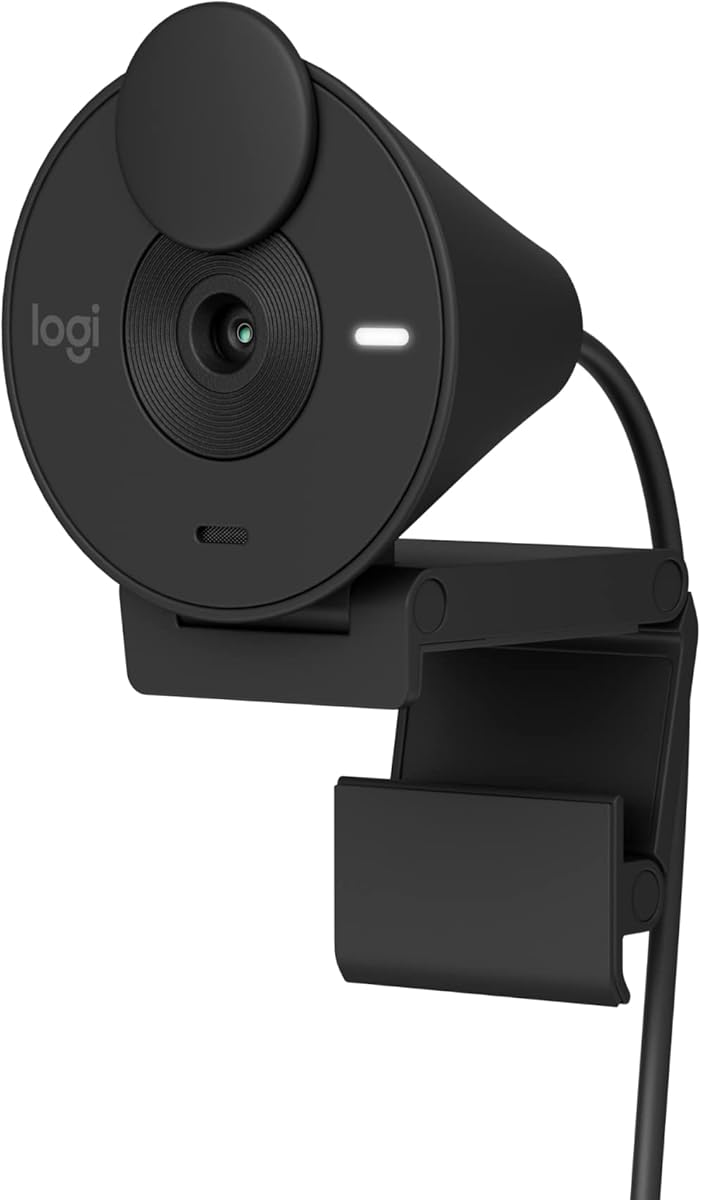
The Logitech Brio 100 offers a sleek white design that complements modern Mac setups. It delivers Full HD resolution with auto-light balance to ensure you look your best in various lighting.
We may earn a commission when you buy through this link, at no additional cost to you.
The built-in microphone lets others hear you clearly during calls. The integrated privacy slide makes it easy to secure your privacy when not actively on a video call.
While it may not have the audio richness of stereo mics, it is sufficient for most conferencing needs. The design and ease of use make it a favorite for casual and professional users alike.
For those prioritizing aesthetics and reliable performance, this model is a solid pick. It represents a trustworthy standard in the webcam market for everyday meetings.
RightLight technology boosts brightness to reduce shadows so you look great in any setting.
Made with at least 34 percent post-consumer recycled plastic for a sustainable future.
We may earn a commission when you buy through this link, at no additional cost to you.
The Logitech Brio 301 is certified for major platforms like Teams and Google Meet ensuring seamless integration. It offers natural image quality that helps you look like yourself on all apps.
We may earn a commission when you buy through this link, at no additional cost to you.
RightLight 2 technology automatically compensates for poor lighting conditions so you are always seen clearly. The mono noise reduction mic suppresses background sound for better audio on the call.
Using the Logi Tune app you can customize video experiences including color and image quality. The spin privacy shutter offers a unique way to block the lens instantly when needed.
Ideal for office environments where certification and reliability are key this model fits well. It provides consistent performance for meetings without requiring complex technical adjustments.
Free app allows easy adjustment of color and image settings for your preferences.
Built with at least 48 percent post-consumer recycled plastic to reduce environmental impact.
We may earn a commission when you buy through this link, at no additional cost to you.
The Logitech C920e is designed specifically for business environments with certifications for Zoom and Teams. It features a 78 degree fixed field of view that balances individual framing with shared item visibility.
We may earn a commission when you buy through this link, at no additional cost to you.
Two integrated omnidirectional microphones capture audio clearly from a one meter radius ensuring natural sound. Built-in HD autofocus and automatic light correction help you look good in every meeting.
An attachable privacy screen flips up and down to cover the lens offering visual confirmation of privacy. Sturdy clip and tripod threads provide versatile mounting options for different setups.
For workplace use this model ensures compatibility and integration with professional tools. It is a dependable choice for employees needing reliable video collaboration equipment.
Simple glance at the cover confirms if the lens is seeing into your space or not.
Sync device management software helps ensure devices are used and up to date.
We may earn a commission when you buy through this link, at no additional cost to you.
The Logitech C922x is a premium choice for streamers and creators requiring higher frame rates. It supports 1080p at 30fps or 720p at 60fps for smoother motion in dynamic scenes.
We may earn a commission when you buy through this link, at no additional cost to you.
Advanced capture software enables easy creation of video content with background removal capabilities. Stereo audio with dual mics captures natural sound which enhances recorded videos and calls.
The XSplit VCam license included allows you to replace or blur backgrounds without a green screen. While it lacks a privacy shutter its video quality and features make it popular among content creators.
For professionals or enthusiasts seeking professional-grade tools this webcam delivers exceptional value. It combines high frame rates with versatile software features for enhanced creative output.
Choose 720p at 60fps for smooth motion suitable for active streaming or gaming.
Remove or blur your background without a green screen using included software tools.
We may earn a commission when you buy through this link, at no additional cost to you.
The Logitech C920S is a proven model known for its reliability and premium video quality. It delivers Full HD 1080p video calls with a glass lens that ensures crisp and vibrant recording.
We may earn a commission when you buy through this link, at no additional cost to you.
HD autofocus and light correction provide razor-sharp high definition in every environment. Stereo audio with dual mics captures natural sound on calls and recorded videos for a polished experience.
A privacy shutter puts you in control of what you show protecting the lens when not in use. While it lacks newer features like background removal it remains a top choice for general use.
For users seeking a simple effective solution for video conferencing this model is highly recommended. It combines consistent quality with essential privacy features in a trusted package.
Glass lens and full HD mean your recorded videos are crisp and vibrantly colored.
Privacy shutter puts you in control of what you show and protects the lens.
We may earn a commission when you buy through this link, at no additional cost to you.
The Acer 4K Model offers a lightweight design without compromising on image quality. It features a genuine Sony sensor that delivers balanced visuals and superior light capture for clear images.
We may earn a commission when you buy through this link, at no additional cost to you.
Crafted from aerospace-grade aluminum the unibody design ensures durability and elegant looks. Fast heat dissipation supports reliable 24/7 video performance during long sessions of streaming or meetings.
Weighing just 57 grams it is ultra-portable for modern mobile workers taking calls from anywhere. The magnetic privacy cover snaps securely over the lens to keep your space safe from unwanted peeks.
For those needing high quality video in a portable form factor this camera is ideal. It combines premium specs with a compact build perfect for professionals on the go.
At 57 grams it lets mobile workers take HD video calls anywhere from cafés to spaces.
Twelve magnets snap cover securely over lens to block unwanted peeks and keep you safe.
We may earn a commission when you buy through this link, at no additional cost to you.
Selecting the right webcam involves evaluating several key factors to ensure it meets your specific needs. This guide outlines the most important aspects to consider before making a purchase.
Resolution determines the clarity and detail of your video output. Higher resolutions like 4K provide sharper images suitable for professional meetings while 1080p is sufficient for general use.
Look for a camera that supports at least 1080p for clear visuals without taxing your system.
The sensor type and lens material significantly impact image quality. Cameras with genuine sensors and glass lenses offer better color accuracy and low-light performance compared to those with plastic optics.
Prioritize models with proven sensors for reliable and true-to-life video results.
Built-in microphones vary widely in quality. Models with dual microphones and noise cancellation technology ensure your voice is heard clearly even in noisy environments.
Check for features like AI noise cancellation to improve audio clarity during calls.
The field of view dictates how much of your surroundings the camera captures. A wider angle allows you to include more of the room while a narrower one focuses on you.
Select a field of view that matches your typical background needs and setup space.
Autofocus keeps you sharp as you move during a call. Light correction technology automatically adjusts exposure to ensure you look good even in challenging lighting conditions.
Ensure the webcam has responsive autofocus and automatic light adjustment features.
Most modern webcams connect via USB and work with macOS. Verify compatibility with your specific Mac version and conferencing software to avoid issues.
Choose a plug-and-play model to minimize setup time and technical hassles.
Privacy covers or shutters allow you to block the lens when not in use. These physical barriers provide peace of mind and prevent unauthorized access to your video feed.
Prioritize cameras with built-in privacy shields for added security.
Flexibility in mounting helps optimize camera positioning. Tripod threads and adjustable clips allow you to place the camera on monitors or tripods as needed.
Look for versatile mounting options to fit your desk and workspace setup.
Start by connecting the webcam to your Mac using the provided USB cable. Ensure the device is recognized by your system before launching your conferencing application.
Position the camera at eye level to maintain a natural frame. Adjust the angle slightly if needed to include key elements like your face or workspace.
Clean the lens gently with a microfiber cloth to avoid scratches. Store it in a protective case or use the privacy cover when not in use to prevent dust accumulation.
Most webcams in this list are compatible with macOS versions back to 10.7 or higher. Always verify the specific OS requirement on the product page before purchasing to ensure compatibility.
4K webcams provide four times the pixel count of 1080p models resulting in sharper image detail. However they may require more system resources and bandwidth for video calls.
Yes many of these models support streaming platforms like Twitch and OBS. Look for features like high frame rates and background removal software for enhanced streaming quality.
Most of these webcams are plug-and-play and do not require driver installation. They work instantly upon connection to your Mac through USB ports.
Privacy covers or shutters are physical mechanisms you slide over the lens manually. This blocks the view entirely without needing software changes or settings adjustments.
Cameras with advanced light correction technology or larger sensors perform better in dim lighting. Look for models specifically highlighting low-light performance in their features.
These webcams are designed to work with major platforms like Zoom Teams and Google Meet. They are certified for seamless integration and reliable performance.
For long meetings prioritize comfort and build quality. Models with fast heat dissipation ensure the camera does not overheat during extended usage periods.
Our top picks include the Acer 4K Webcam for its exceptional image quality and the NexiGo N60 for budget-friendly value. Each option offers unique strengths depending on your specific needs.
When choosing prioritize resolution and audio clarity for professional settings. Features like privacy covers and autofocus add convenience and security for daily use.
Remember to check the latest pricing and availability before buying. Your ideal webcam is out there ready to enhance your video experience.