
BENGOO Gaming Mouse Wired with RGB Backlit
4.6Editor score
Adjustable DPI speeds
Six ergonomic buttons
Multi-color RGB lighting
This guide compares the top Light Up LED Mouse models for 2026, analyzing performance, lighting effects, ergonomics, and wireless options for gamers and
Finding the right Light Up LED Mouse can transform your computing experience. These devices combine functionality with vibrant aesthetics. The right choice enhances both productivity and gaming setups.
We evaluated ten top-rated models based on performance, design, and user feedback. Each product offers unique features like adjustable DPI, silent clicks, and wireless connectivity. Our goal is to help you find the perfect match.
Each pick highlights key strengths and potential trade-offs for informed decisions. Prices fluctuate frequently so check current listings before purchasing. This guide ensures you get the best value for your specific needs.
4.6Editor score

4.3Editor score

4.5Editor score
This side-by-side comparison highlights the core specifications of all ten models. Review each entry to find the right balance between wired reliability and wireless freedom.




This BENGOO Gaming Mouse Wired stands out as a top choice for budget-conscious users seeking style. With a solid rating of 4.6 stars it delivers reliable performance and aesthetic appeal. The RGB backlight creates a vibrant atmosphere for any workspace.
We may earn a commission when you buy through this link, at no additional cost to you.
The mouse features four adjustable DPI settings ranging from 1200 to 3600 for versatile control. Six buttons including forward and back navigation enhance productivity and gaming efficiency. The ergonomic design ensures a comfortable grip during extended use.
While the cable is not detachable the sturdy build provides consistent performance. The multi-color lighting matches various styles without requiring drivers. Users appreciate the skin-friendly material that reduces hand fatigue over time.
This model is ideal for gamers or professionals needing a dependable Light Up LED Mouse. Its balance of features and price makes it a standout option. Choose this for a practical entry into illuminated peripheral upgrades.
The contoured shape fits naturally under the palm for long sessions.
Four DPI levels allow precise cursor speed adjustments on demand.
We may earn a commission when you buy through this link, at no additional cost to you.
This Wireless Gaming Mouse Rechargeable earns Editor's Choice for its seamless blend of quiet operation and style. Rated at 4.3 stars it offers a clutter-free setup with a 2.4G connection. The silent clicks ensure no disturbance in shared spaces.
We may earn a commission when you buy through this link, at no additional cost to you.
Featuring six buttons and three adjustable DPI levels it handles both work and play efficiently. The rechargeable battery supports up to 25 days of use when lights are off. A flowing rainbow backlight adds visual flair to your desk.
The only trade-off is that active lighting consumes more battery power quickly. The body feels durable yet lightweight for easy portability. Silent buttons make it perfect for libraries or offices where noise matters.
Choose this Light Up LED Mouse for balanced performance and modern convenience. Its wireless design eliminates cables without sacrificing responsiveness. It remains a strong contender for daily computing needs.
Silent click technology prevents noise while maintaining tactile feedback.
Switch off lights to extend battery life for longer periods.
We may earn a commission when you buy through this link, at no additional cost to you.
The RGB Light up Wired Gaming Mouse defines premium quality with its metal chassis and laser carved details. Rated 4.5 stars it combines durability with a striking visual presence. The breathing LED lights highlight the gaming environment beautifully.
We may earn a commission when you buy through this link, at no additional cost to you.
It offers four DPI options up to 3200 for precise control on any surface. The ergonomic shape and skin-friendly material reduce fatigue during long sessions. Six buttons including DPI switching support complex gaming requirements.
Though it lacks wireless capability the wired connection ensures zero lag and consistent power. The shockproof design handles drops better than standard plastic mice. This model justifies its price with robust construction and aesthetic appeal.
Invest in this Light Up LED Mouse for a long-lasting and stylish setup. It suits users prioritizing build quality and visual impact. The universal compatibility ensures it works with most devices seamlessly.
Metal flanking and chassis provide shockproof protection for daily use.
Laser carving and multi-color lights create a unique aesthetic.
We may earn a commission when you buy through this link, at no additional cost to you.
The HOTLIFE Wireless Mouse Slim offers a unique dual connection approach for versatile connectivity. Rated 4.4 stars it supports both Bluetooth and 2.4G wireless modes. This flexibility makes it ideal for switching between devices easily.
We may earn a commission when you buy through this link, at no additional cost to you.
Its slim design fits well in travel bags while maintaining comfortable usability. A dedicated desktop return button simplifies navigation during web browsing. The silent clicks ensure quiet performance in shared environments.
Battery life is efficient with smart sleep modes to conserve power. The limited DPI range suits general tasks but may not impress pro gamers. It remains a practical choice for mobile professionals.
Pick this Light Up LED Mouse for portability and connectivity options. The rechargeable battery reduces waste from disposable cells. Enjoy a sleek and functional tool for work on the go.
Switch between Bluetooth and USB receiver for flexible device pairing.
Slim dimensions make it easy to pack without bulk.
We may earn a commission when you buy through this link, at no additional cost to you.
This Gaming Mouse Wired 6 Buttons delivers essential features for both work and leisure. With a 4.5 rating it offers a balanced experience with four adjustable DPI settings. The breathing LED light adds a subtle yet attractive glow.
We may earn a commission when you buy through this link, at no additional cost to you.
Its ergonomic shape supports the palm comfortably for extended use. Six buttons including DPI switching help multitask efficiently without software. It works across Windows and Mac systems seamlessly.
While it lacks advanced customization the plug-and-play setup saves time. The circular light design is distinct compared to standard options. This model suits users needing reliable performance without complexity.
Choose this Light Up LED Mouse for straightforward and effective operation. It provides good value with essential gaming and office features. Ideal for those who prioritize function over advanced controls.
No drivers required for immediate plug and play usage.
Circular breathing lights create a soothing desktop ambiance.
We may earn a commission when you buy through this link, at no additional cost to you.
The VersionTECH. Wireless Gaming Mouse combines stable connectivity with colorful lighting. Rated 4.4 stars it supports up to 10 meters of working distance. The 2.4G connection ensures smooth signal transmission without delays.
We may earn a commission when you buy through this link, at no additional cost to you.
A unique lightning crackle design enhances the visual appeal of your setup. Silent buttons prevent noise during typing or gaming sessions. It passes a 5 million click test for durability and long-term use.
While the lights look great they can speed up battery consumption. Users with USB-C only devices may need an adapter for the receiver. Smart power-saving features help maintain extended battery life.
This Light Up LED Mouse suits users wanting both style and efficiency. It is an excellent accessory for gaming or work. Ensure you manage power settings to maximize battery usage.
2.4G wireless ensures lag-free operation within a 10-meter range.
RGB crackle design adds a dynamic look to your desk.
We may earn a commission when you buy through this link, at no additional cost to you.
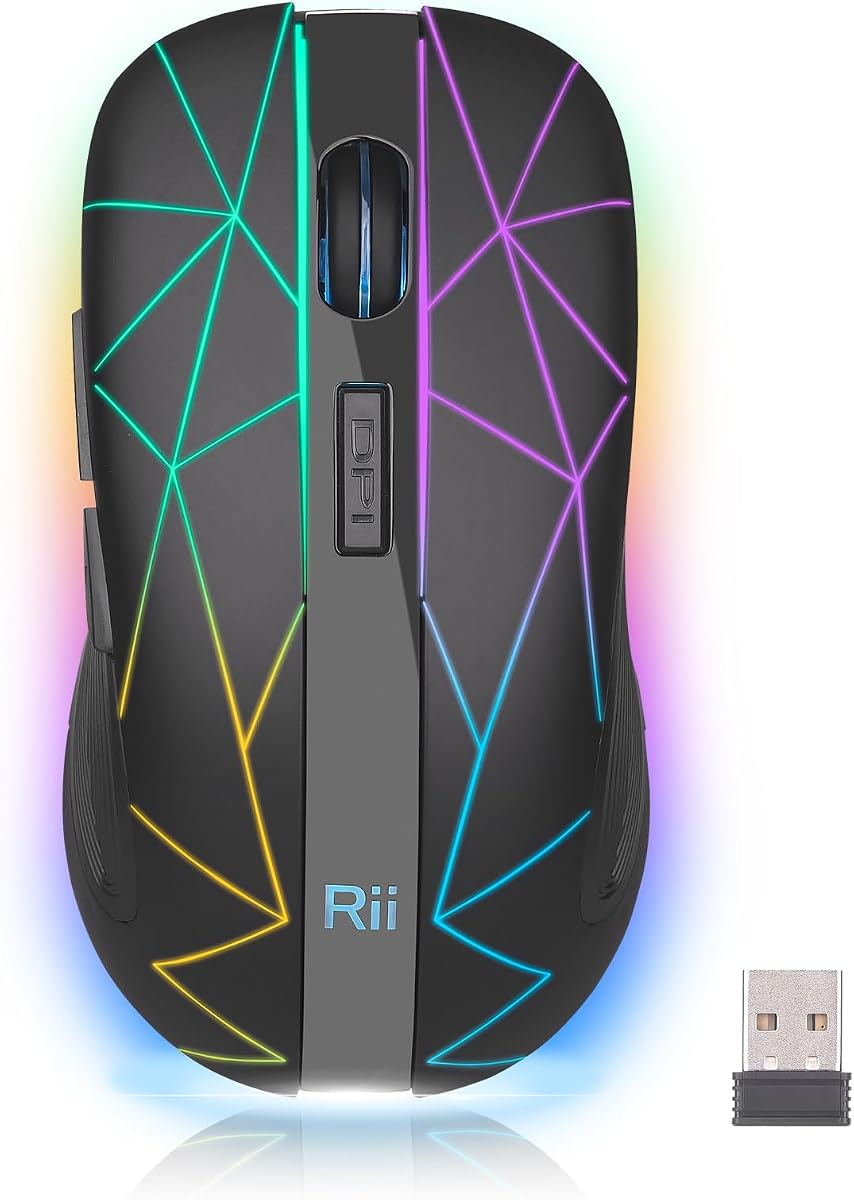
The Rii Wireless Mouse USB Nano focuses on portability and ease of use. Rated 4.4 stars it fits easily into laptop bags for travel. Its compact design does not sacrifice essential comfort features.
We may earn a commission when you buy through this link, at no additional cost to you.
Colorful RGB lights change randomly to create a cool atmosphere. The smart sleep mode extends battery life by activating after inactivity. Three DPI levels allow basic speed adjustments for various tasks.
Its small size might limit comfort for large hands during long sessions. However it is perfect for on-the-go work or gaming. The rechargeable battery eliminates the need for constant replacements.
Select this Light Up LED Mouse for travel and versatility. It balances convenience with style for mobile users. Ideal for those needing a lightweight mouse for multiple devices.
Compact size fits easily into bags for business or travel.
Auto sleep mode conserves power when the mouse is idle.
We may earn a commission when you buy through this link, at no additional cost to you.
The TENMOS M2 Wireless Gaming Mouse emphasizes comfort and quiet operation. Rated 4.4 stars it offers a soft LED light for ambient lighting. Silent clicks ensure you never disturb colleagues or family members.
We may earn a commission when you buy through this link, at no additional cost to you.
Its ergonomic shape and skin-friendly materials reduce hand fatigue. The 2.4G wireless connection provides a stable working distance of 10 meters. You can use the mouse while it is charging for continuous use.
The light switch allows easy toggling to save battery power. DPI options are limited but sufficient for standard office tasks. This model is perfect for shared workspaces where noise is a concern.
Choose this Light Up LED Mouse for comfort and quiet reliability. Its rechargeable feature supports eco-friendly usage. Ideal for users prioritizing ergonomic design over advanced gaming features.
Super silent clicks prevent noise during work or gaming.
Skin-friendly materials ensure long-term comfort and hand health.
We may earn a commission when you buy through this link, at no additional cost to you.
The TENMOS V7 Wireless Gaming Mouse combines rainbow visuals with silent efficiency. Rated 4.5 stars it delivers a smooth wireless experience with a 2.4G connection. The LED switch lets you control lighting easily to save power.
We may earn a commission when you buy through this link, at no additional cost to you.
Its auto sleep mode activates after ten minutes of inactivity to extend battery. Quiet clicks ensure focus remains on your tasks without distractions. Compatibility spans various Windows and Mac systems seamlessly.
While the lights look vibrant they can drain the battery if left on. This model suits users needing a reliable mouse for general work. The included charging cable simplifies setup and maintenance.
Pick this Light Up LED Mouse for a balanced and reliable option. It offers good value with essential comfort and wireless features. Ideal for those seeking a simple and effective upgrade.
Colorful breathing lights create a dynamic and engaging look.
Auto sleep and light toggle help maximize battery longevity.
We may earn a commission when you buy through this link, at no additional cost to you.
The Guiheng Dual Mode Bluetooth Wireless offers great versatility with two connection types. Rated 4.4 stars it supports both Bluetooth and 2.4G wireless modes. This feature works well for users managing multiple devices.
We may earn a commission when you buy through this link, at no additional cost to you.
Its unique lightning crackle design enhances the visual atmosphere of any setup. Six buttons and silent clicks improve efficiency and reduce noise during work. The ergonomic shape ensures comfort over extended periods.
Though lights can drain battery power the rechargeable design is sustainable. It works well with Windows and Mac systems without extra software. This model suits both casual and professional users alike.
Choose this Light Up LED Mouse for versatility and modern design. It balances functionality with style effectively. Ideal for users needing a reliable mouse across different platforms.
Use Bluetooth or 2.4G to switch between devices quickly.
Lightning crackle design adds a unique look to your workspace.
We may earn a commission when you buy through this link, at no additional cost to you.
Choosing a Light Up LED Mouse involves weighing factors like connection type and ergonomics to ensure a perfect fit.
Wired mice offer consistent power and zero lag for competitive gaming. Wireless options provide freedom of movement but rely on battery life for extended use.
Choose wired for stability or wireless for a clean desk setup.
An ergonomic shape fits naturally in your hand to reduce strain during long sessions. Look for textured materials that prevent slipping and offer tactile comfort.
Prioritize models with contoured shapes if you work for hours daily.
DPI determines cursor sensitivity and higher settings allow faster movement across large screens. Multiple levels enable quick switching between precision work and rapid navigation.
Select a mouse with at least three DPI options for versatile control.
LED lights enhance visual appeal with solid colors or breathing patterns. Consider if you want dynamic lighting or a static color that matches your theme.
Ensure lights can be turned off to save battery on wireless models.
Rechargeable models are eco-friendly and reduce long-term costs compared to disposable cells. Check battery life estimates under typical usage conditions for planning.
Look for quick charging features to minimize downtime during use.
Durable materials like metal chassis resist wear and tear better than plastic. Click durability ratings ensure the mouse withstands thousands of daily interactions.
Invest in robust construction for long-term reliability and satisfaction.
Ensure the mouse supports your operating system like Windows or Mac seamlessly. Cross-platform models offer greater flexibility if you switch devices regularly.
Check for driver requirements to simplify setup and configuration.
Additional buttons provide shortcuts for navigation and productivity tasks. A scroll wheel with clickable functions adds another layer of efficiency.
Pick a layout that matches your workflow and gaming preferences.
Connect the device via USB or Bluetooth to initialize pairing. If wireless ensure the receiver is stored safely when not in use.
Install any necessary software to customize DPI and lighting effects. Adjust settings to match your personal comfort and workflow needs.
Clean the surface regularly with a soft cloth to maintain sensor accuracy. Store the mouse away from direct sunlight to prevent material degradation.
Most models use a dedicated button to cycle through colors or patterns. Refer to your user manual for specific combinations or download software for customization.
Yes many rechargeable models support simultaneous charging and usage. This feature prevents interruptions when the battery runs low during tasks.
A DPI between 1200 and 1600 works well for most office applications. Higher settings are better for gaming or large high-resolution displays.
Most operate plug and play without additional software. Customization features may need drivers but basic functions work immediately.
Interference from other devices or low battery levels can cause instability. Try changing USB ports or charging the battery to resolve the issue.
Silent clicks reduce noise distraction making them ideal for shared spaces. They maintain tactile feedback without disturbing colleagues nearby.
The top picks offer a mix of value performance and aesthetics for all users. Each model brings unique strengths to different workflows and gaming setups.
Focus on your primary needs like ergonomics or battery life when making a decision. The right choice enhances both productivity and visual appeal.
Prices and availability can change so verify current listings before purchase. Review updated details to ensure the best value for your setup.