
EPOMAKER Ajazz AK820 Pro
4.7Editor score
TFT screen interface
75% compact layout
South-facing LEDs
This guide compares the top Epomaker keyboards featuring wireless connectivity custom screens gasket mounts and hot-swap switches for gaming and productivity
Epomaker keyboards deliver exceptional performance with wireless flexibility and customizable features designed for gamers and professionals alike.
We compared ten models based on build quality battery life switch options and software compatibility to find the best value and performance.
Each pick highlights key strengths and trade-offs so you can choose the right board for your desk setup without confusion or regret.
4.7Editor score
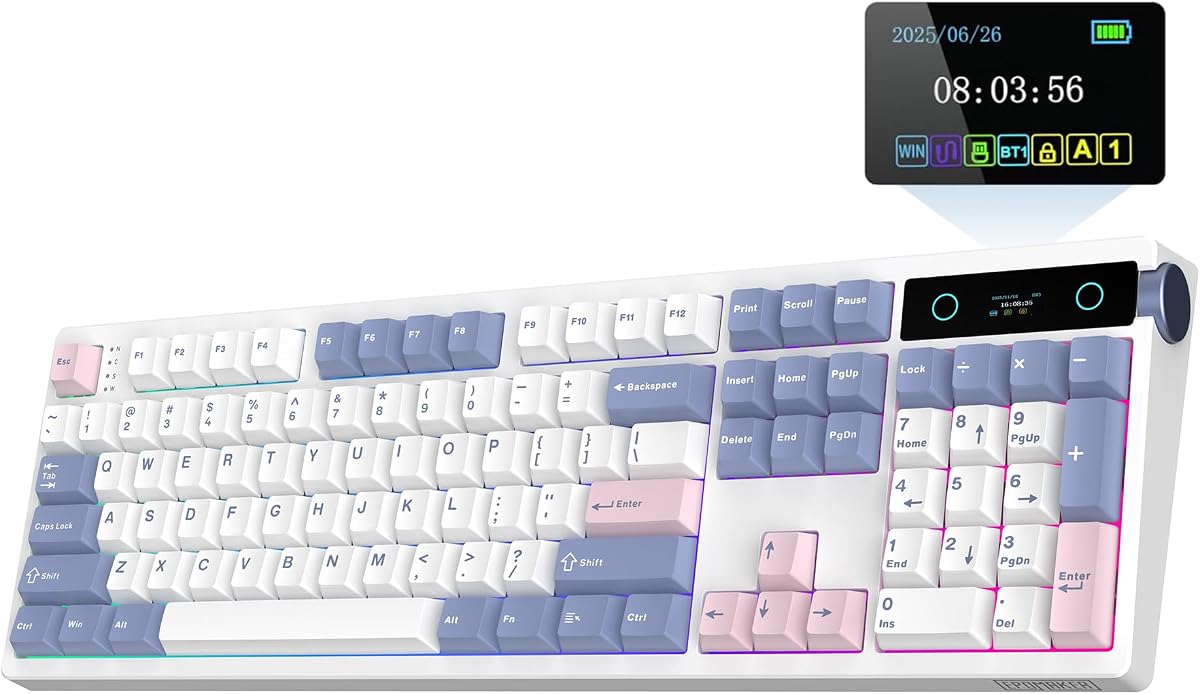
4.7Editor score
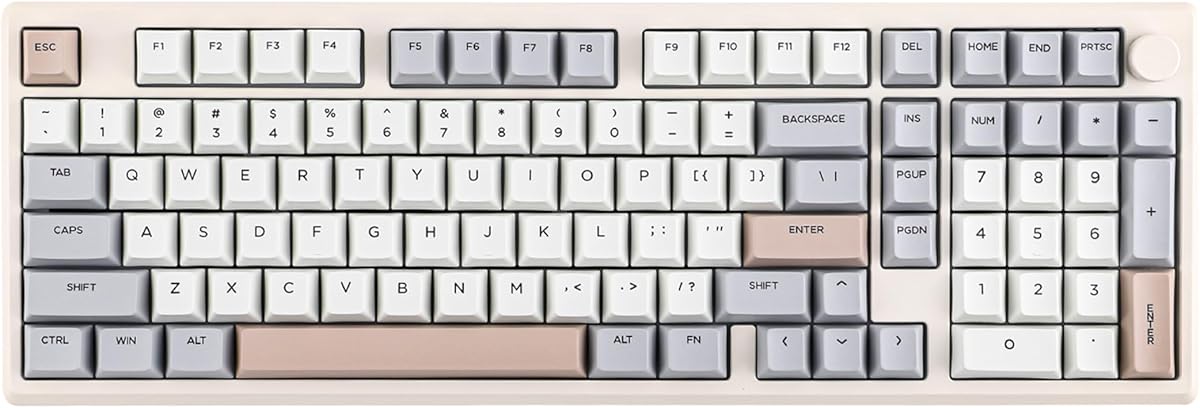
4.5Editor score
The following table provides a side-by-side overview of key specifications and features across all ten Epomaker keyboard models reviewed in this guide.


The EPOMAKER TH108 PRO stands out as the top choice in our review for its perfect blend of full-size utility and premium features.
We may earn a commission when you buy through this link, at no additional cost to you.
Its smart screen and rotary knob offer unique customization options that let you monitor battery life and display GIFs without interrupting your workflow.
While the price is higher than basic models, the 10000mAh battery and robust gasket mount justify the cost for users seeking long-term value.
Buy this if you need a versatile full-size board with wireless flexibility and a premium typing experience that lasts all day.
The integrated smart screen allows you to display custom GIFs or monitor keyboard stats like battery and time directly from the interface.
With a massive 10000mAh battery, this keyboard offers up to 200 hours of use, making it ideal for users who hate frequent recharging.
We may earn a commission when you buy through this link, at no additional cost to you.
The X Aula F75 MAX is a strong contender for those who want premium features in a smaller 75% layout package.
We may earn a commission when you buy through this link, at no additional cost to you.
It retains the popular TFT screen and knob from larger models, giving you visual flair and quick access to volume controls.
The gasket mount ensures a soft, bouncy feel that reduces fatigue during long typing sessions, though the battery is smaller than the PRO.
Choose this board if you prefer saving desk space without sacrificing the ability to customize your look and feel significantly.
Featuring a 2cm-low front height and adjustable kickstand, this keyboard reduces wrist strain for comfortable use over long periods.
Factory-lubed stabilizers and multiple sound-dampening layers create a creamy, thocky sound that sounds premium right out of the box.
We may earn a commission when you buy through this link, at no additional cost to you.
For enthusiasts who want deep customization and a premium build, the Galaxy100 QMK offers QMK/VIA support in a stunning aluminum shell.
We may earn a commission when you buy through this link, at no additional cost to you.
This model provides endless remapping possibilities and layers, making it a powerhouse for programmers and power users who need specific workflows.
The aluminum construction adds significant weight and durability, ensuring the keyboard stays put even during intense gaming or typing sessions.
Invest in this keyboard if you prioritize high-end materials and want full control over your key mappings via open-source software.
The Galaxy100 supports VIA software, allowing you to remap keys and create layers without installing heavy software on your computer.
Constructed with a thick aluminum alloy shell, this keyboard feels robust and premium compared to standard plastic alternatives.
We may earn a commission when you buy through this link, at no additional cost to you.
The TH108 V2 PRO builds on the success of the original with refined features like dedicated Mac modifiers and improved software integration.
We may earn a commission when you buy through this link, at no additional cost to you.
It excels in multi-device environments, allowing you to switch between PC, Mac, and Android seamlessly with dedicated key combos.
The inclusion of a screen and knob adds a layer of interactivity that keeps you engaged, while the polling rate ensures responsive gaming.
This is the ideal pick for hybrid users who need a reliable full-size keyboard that bridges the gap between Windows and macOS easily.
Dedicated Mac modifier keys and mode switching make this a rare full-size option that works perfectly with Apple ecosystems.
With a 1000Hz polling rate and 2ms latency, this keyboard delivers the speed and precision needed for competitive gaming sessions.
We may earn a commission when you buy through this link, at no additional cost to you.
The TH99 PRO offers a unique balance by keeping the number pad in a more compact 96% layout that fits better on smaller desks.
We may earn a commission when you buy through this link, at no additional cost to you.
It features the same massive 10000mAh battery as the full-size models, ensuring you rarely need to plug in for charging.
The screen and knob provide visual feedback and quick access to functions, making it a standout for workflow customization.
Choose this if you need numeric input for work but want to save space without sacrificing battery life or premium features.
This layout keeps arrow keys and a number pad while saving valuable desk space, ideal for users with limited surface area.
Even with the screen active, the battery lasts impressively long, ensuring productivity isn't interrupted by charging cables.
We may earn a commission when you buy through this link, at no additional cost to you.
The TH108 Full Size strips away the screen and knob to focus on core performance and value, making it a practical choice.
We may earn a commission when you buy through this link, at no additional cost to you.
It still includes a gasket mount and hot-swap capability, which are rare at this price point for a full-size wireless keyboard.
The build quality is solid, and the battery life ensures you can game or work for hours without worrying about power loss.
This is the best pick for users who want a reliable, full-sized wireless keyboard without paying extra for unnecessary visual features.
By focusing on essentials like gasket mount and hot-swap, this model delivers high value for users who don't need a screen.
The wireless performance is stable with low latency, ensuring that your inputs register instantly even without a cable connection.
We may earn a commission when you buy through this link, at no additional cost to you.
The G84 HE introduces Hall Effect technology to the Epomaker lineup, offering adjustable actuation and incredibly fast response times.
We may earn a commission when you buy through this link, at no additional cost to you.
With an 8KHz polling rate, it processes inputs faster than standard keyboards, giving competitive gamers a distinct edge in reaction time.
The SOCD cleaning logic ensures precise movement, which is crucial for games where conflicting inputs can ruin your performance.
Buy this if you are a serious gamer who wants cutting-edge technology and the ability to tweak actuation points for different games.
Hall Effect switches use magnets instead of physical contacts, eliminating debounce delay and allowing precise actuation control.
The adjustable actuation allows you to set shallow triggers for speed or deep triggers for deliberate inputs tailored to specific games.
We may earn a commission when you buy through this link, at no additional cost to you.
The TH99 Tri-Mode is a straightforward, reliable keyboard designed for productivity without unnecessary bells and whistles.
We may earn a commission when you buy through this link, at no additional cost to you.
Its 8000mAh battery offers extended life, and the ergonomic design ensures comfort for users who type for many hours each day.
The PBT keycaps resist shine and wear, keeping the keyboard looking new even after months of heavy daily usage at the office.
Select this if you need a dependable wireless keyboard that handles spreadsheets and writing tasks with ease and comfort.
Cherry-profile keycaps and adjustable kickstands provide a comfortable typing angle that reduces wrist strain during long workdays.
High-quality PBT keycaps ensure the legends remain clear and the surface does not become greasy or shiny over time.
We may earn a commission when you buy through this link, at no additional cost to you.
The Ajazz AK820 Pro brings high-end features like a TFT screen and gasket mount to a very accessible price point.
We may earn a commission when you buy through this link, at no additional cost to you.
It offers the same visual appeal and customization potential as more expensive models but at a fraction of the cost.
While the battery is smaller, it provides ample power for a compact device, making it a great travel or secondary keyboard.
This is the perfect choice for budget-conscious buyers who want modern features without breaking the bank.
Few keyboards in this price range offer both a gasket mount and a TFT screen, making this a standout deal.
The 75% layout fits easily in backpacks, allowing you to take your custom keyboard with you when traveling.
We may earn a commission when you buy through this link, at no additional cost to you.
The x Aula F99 provides a clean, functional 96% experience with hot-swap capabilities and a solid gasket mount.
We may earn a commission when you buy through this link, at no additional cost to you.
It focuses on delivering a great typing feel through internal sound dampening layers that soften the acoustics of every keypress.
The hot-swap PCB allows you to experiment with different switches easily, making it future-proof for enthusiasts.
Choose this if you need a wireless 96% keyboard that prioritizes typing feel and switch flexibility over digital features.
A five-layer sound shock absorption system ensures a clean, thocky sound without hollow echoes or unwanted noise.
The hot-swap PCB supports 3 and 5-pin switches, giving you the freedom to personalize the tactile experience later.
We may earn a commission when you buy through this link, at no additional cost to you.
Selecting the right keyboard depends on your specific needs for layout, features, and budget.
Layout size determines how much desk space your keyboard will occupy and which keys are included. Full-size boards include a number pad, while 75% layouts save space by removing function rows and number pads. For most office users, a 96% or full-size board is best, but gamers often prefer compact 75% or 65% options.
Choose the layout that fits your desk and workflow needs without crowding your mouse space.
Switch type defines the tactile feel and sound of your keyboard. Linear switches are smooth and quiet, making them ideal for gaming. Tactile switches offer a bump that feedback for typing, while clicky switches make an audible sound. Hot-swap keyboards allow you to change switches later if your preference changes.
Select a switch type that matches your personal comfort and noise tolerance in your environment.
Connectivity options determine how you connect your keyboard to your devices. Wired connections offer the lowest latency for competitive gaming, while Bluetooth and 2.4GHz wireless provide freedom of movement. Many modern keyboards support tri-mode connectivity, allowing you to pair with multiple devices simultaneously.
Look for wireless modes if you need to switch between a PC and a tablet or laptop frequently.
Battery life is critical for wireless keyboards to ensure they last through your workday or gaming session. Larger batteries like 10000mAh offer extended use without frequent charging but add weight to the board. Smaller batteries reduce weight but may need charging every few days depending on RGB usage.
Prioritize a larger battery if you use your keyboard away from a power source often.
Build quality affects durability and the overall feel of the keyboard. Aluminum shells offer premium durability and sound dampening, while plastic cases are lighter and more affordable. Gasket mounts provide a softer typing feel and better acoustics compared to tray mounts.
Invest in better materials if you want a keyboard that feels substantial and lasts for years.
Screens and rotary knobs add customization by displaying info and controlling volume. A TFT screen allows you to show custom images or monitor battery status, adding a unique visual element. The knob offers quick access to volume control or scrolling, which is handy for media consumption.
Choose models with these features if you value personalization and quick control access.
Customization includes hot-swap sockets, RGB lighting, and software support. Hot-swap PCBs let you change switches without soldering, while RGB allows for visual personalization. Software like QMK/VIA offers deep remapping capabilities for advanced users who want to optimize macros.
Look for hot-swap and software support if you want to tweak your keyboard's function over time.
Budget determines which features you can access, with prices varying widely. Entry-level models offer solid basics, while premium ones include aluminum shells and screens. Decide which features are essential for you to avoid overspending on unnecessary add-ons.
Balance your budget against the must-have features to find the best value option.
To get started, connect the keyboard via USB-C, Bluetooth, or the 2.4GHz dongle depending on your preference. Ensure the battery is charged before use to avoid interruption.
Use the included software or web driver to customize key mappings, RGB lighting, and macro assignments. This software allows you to tailor the keyboard to your specific workflow needs.
Keep the keyboard clean by gently brushing out debris with a soft brush or compressed air. Avoid using liquids directly on the keycaps to prevent damage to internal electronics.
Most Epomaker keyboards support both Windows and Mac operating systems. Many models include dedicated Mac modifier keys to switch modes easily. Check the specific product description to confirm full macOS compatibility.
Tri-mode keyboards typically allow device switching via a function key combination like FN + Q/W/E. Some models also include a physical toggle switch on the back or top for easier access.
Yes, most modern Epomaker models feature hot-swap PCBs that allow you to replace 3-pin or 5-pin switches without soldering. This makes it easy to customize your typing feel later.
Battery life varies by model and usage but typically ranges from 150 to 200 hours with RGB off. Using RGB lighting and the screen significantly reduces battery life on average.
Most Epomaker keyboards come with a one-year manufacturer warranty covering defects. Always register your product upon purchase to ensure eligibility for support and repairs.
Higher-end models like the TH108 PRO use double-shot PBT keycaps for durability. Budget models may use ABS, which can shine over time, so check the specs before buying.
The TH108 PRO leads our list for its combination of full-size utility and premium smart features like the screen and knob.
If you want value or specific layouts, models like the Ajazz AK820 Pro or the F75 MAX offer excellent features at lower price points.
Always check current availability and prices to ensure you are getting the best deal for your specific keyboard needs today.